
Umesh Gopinath
May 2, 2018
3 min read

Long ago, email clients worked by periodically checking a mail-box on the server and downloading email using a protocol called POP. Once the mail was downloaded, it was deleted from the server and was shown in a folder called Inbox in the client. The client also had folders like Drafts, Sent, Outbox etc. so that it could save mails you wrote and sent using the client in an appropriate location. Then there were custom folders to which these mails could be moved and stored. All these folders and their contents remained in the client computer and the server had no idea about them. As the technology improved, things became better, but the email user experience more or less remained the same.
Enter Gmail and the Conversation view
As we all know, Gmail was the first real attempt to reinvent the email experience. They broke some conventions by its Non Taxonomic mailbox architecture, which helped them build the, now taken for granted, Conversation view. It made consuming an email conversation so much easier than before—messages structured as a real conversation thread in one place, like chat, without having to jump between Inbox and Sent folders. Gmail also helped us become pilers (who don’t organize mails into folders) instead of filers. It was faster to do a simple search in Gmail to find mails instead of painstakingly filing them into folders for future reference purposes. Basically Gmail removed the very need to have folders anymore.
But there was just one time, Gmail forced me to go to a folder. When I start a new conversation, the mail I sent, remained in the Sent folder, till I received a reply. Which meant, I had to still jump between Inbox and Sent folders to follow up on mails. I always wondered why Gmail never thought of it. People found work-arounds for this problem by Auto BCCing mails to themselves to bring sent mails to inbox. Another recent way was to snooze the sent mails. Needless to say, we found all these hacks ugly, non intuitive and cumbersome.
When we designed Read Receipts in Newton to show 2 ticks on a conversation, like a chat app, we felt that the only time it took one step backwards was when I started a new conversation and then had to go to Sent folder to see the ticks. We really wanted to fix this problem. We wanted to truly make email modern.
Newton has True Inbox. It’s truly modern.
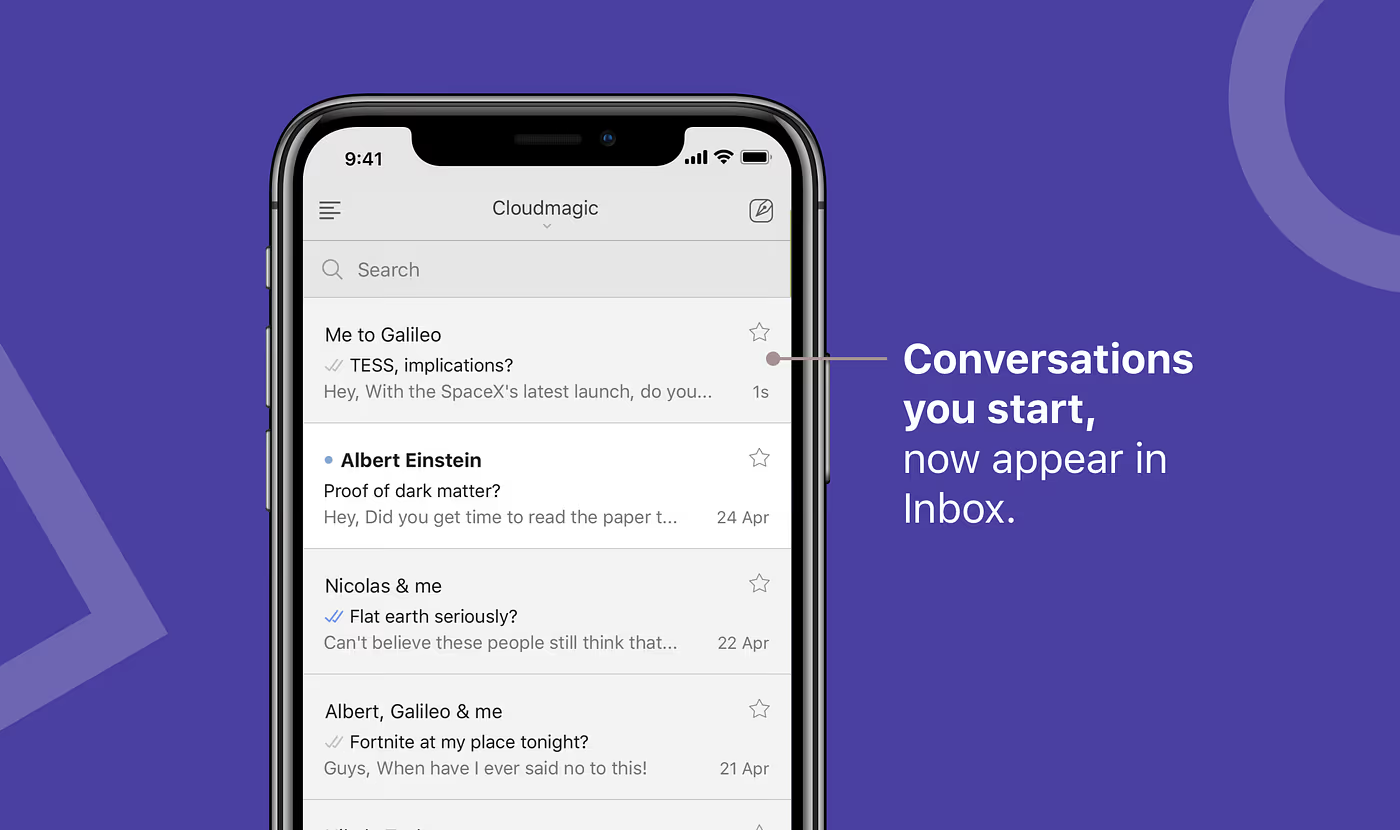
Going forward, when you start a new conversation in Newton, you’ll see it right on top in Inbox. Conversations in inbox will be sorted by activity. Like your chat app. You can now track all your conversations in one list, see the double ticks, archive them, snooze them, star them, achieve inbox zero - everything will work as usual, but better. There’s absolutely no need to go to Sent folder any more. Don’t even worry about the sidebar. It’s a remnant of the past. A true inbox is all that you need.
And that’s one more step towards making email space age.
True Inbox will start working for you automatically, but we are rolling it out in phases. If you are the impatient kinds, you can turn it on from Settings > General > Conversation View > True Inbox. Of course it will work only if Conversation View is turned on. And you will see changes only after you start a new conversation.
Also read: True Inbox and Inbox Zero
Newton is a beautiful and reliable email app supercharged with features like Read Receipts, Tidy Inbox, Send Later, Snooze & more for modern-day business communication. Available on iOS, Android, Mac, and Windows.





