
Karthik Suroju
October 25, 2017
1 min read
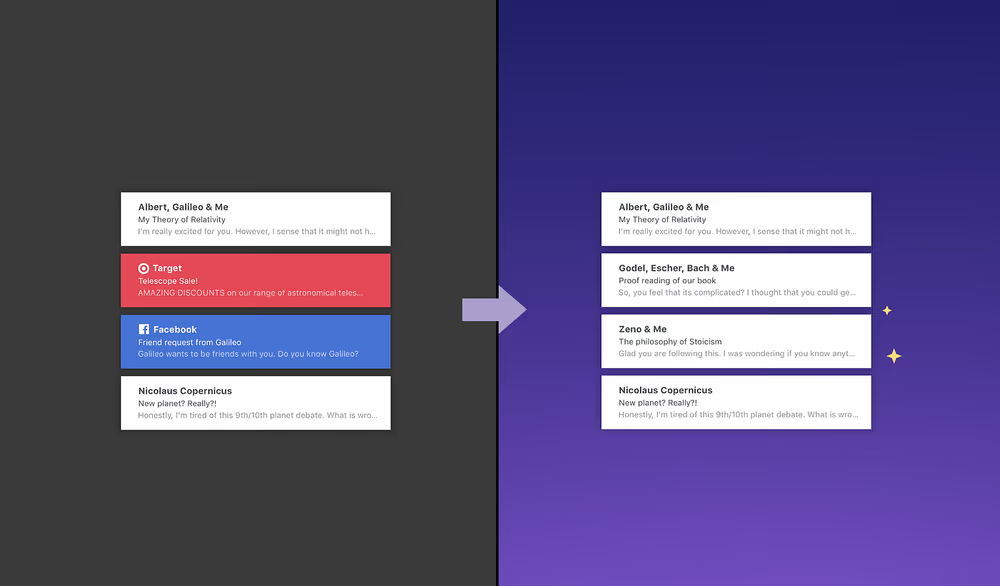
It’s been two months since we launched Newton for Windows. The team has been busy with adding new features and optimizations. Even after a delay caused by the Windows App Store, we managed to ship some major features. Today we’re happy to bring the latest Supercharger, Tidy Inbox to the Windows app.
Tidy Inbox lets you focus on emails that matter by weeding out newsletters and social media updates to a low priority folder. It will also help you in bulk unsubscribing from unwanted newsletters. If you see an email wrongly placed in Low Priority folders, just move it to Inbox (or vice versa), to train Newton to do the same with similar emails in the future.
To enable, head to Newton Settings > Superchargers > Tidy Inbox. If you’re already using Tidy Inbox on Android, iOS or Mac, it’ll automatically start working on Windows too. Just make sure you’re on the latest update.
Also, we’ve added:
- Option to print emails, the most requested feature on Windows since the launch.
- Auto BCC: Save a copy of the sent emails on your CRM.
- IMAP Aliases: You can now add email aliases for IMAP accounts.
- Exchange GAL: Newton will now auto-suggest contacts from your organization’s contacts directory.
Love the new update? Comment to let us know.





