
Francesco D'Alessio
March 27, 2017
3 min read

Getting things done on your web browser can be very hard.
Think about it, Facebook open on one tab, Twitter blinking on another, maybe a few YouTube tabs jumping up to get your attention, this can be messy. Chrome extensions have helped bridge the productivity gap on browsers for many years, bringing smart ways to improve your in-browser experience allowing you to get things done whatever your situation.
Here are our recommendations for Chrome extensions:
Evernote Web Clipper — (Rating: 5/5)

Saving articles, links, and bookmarks can be a lengthy process. Collecting them into one location is vital. Enter Evernote’s clipper, perfect for clipping straight into Evernote. It also allows you to annotate and edit your clipping, making for a more insightful experience later.
Install Evernote Web Clipper on Chrome
Grammarly — (Rating: 5/5)
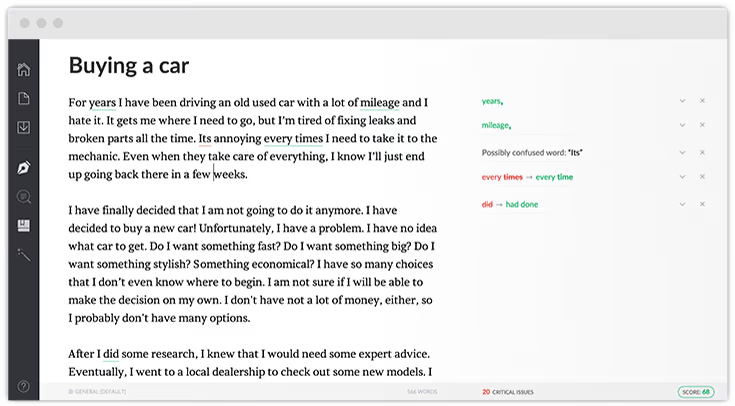
Most of us make typos at times. You may even miss the occasional mistake. Grammarly aims to solve your mishaps with a smart, functional spell and grammar checker embedded into your browsing experience. Whether it’s a tweet or a long winded Facebook post, Grammarly can save you huge amounts of time and embarrassment.
Install Grammarly on Chrome
RefMe — (Rating: 4/5)
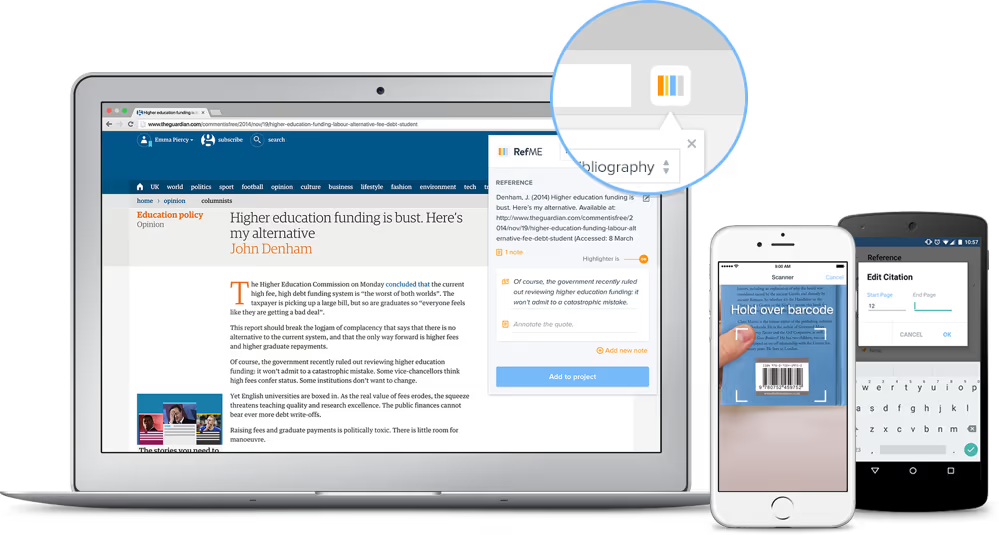
Trying to get your coursework and homework done? Bibliography creation is very laborious for some. RefMe allows you to bring together all your sources by clipping the sites you use for your academic pieces.
Install RefMe on Chrome
LastPass — (Rating: 4/5)

Remembering passwords can be damaging to your productivity and with so many services, it’s becoming humanly impossible to remember everything. Use a resource like LastPass to bring everything into one secure app. The extension will allow you to add passwords and login details with a simple click, saving you hours of time across your month.
Install LastPass on Chrome
Momentum — (Rating: 4/5)
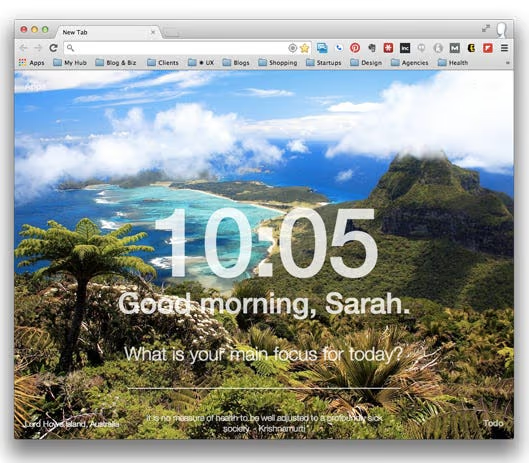
A tab extension designed to motivate you every day. Inspirational quotes and images will appear every time you reopen the app, allowing you to get a rich new experience. Set your focus for the day with a short message to yourself, perfect for setting the north star target of the day.
Install Momentum on Chrome
RescueTime — (Rating: 4/5)
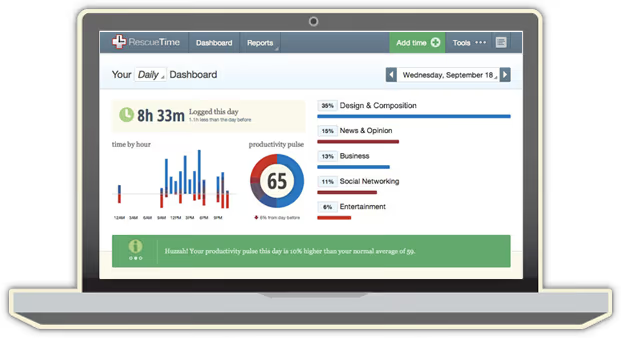
What are you spending your time on? Most of us, naturally, don’t know. The workdays can be a blur. RescueTime addresses this with it’s extension, allowing users to track sites they visit across their day. RescueTime displays a “productivity score” and provides insight into how you can improve.
Install RescueTime on Chrome
Lumio — (Rating: 4/5)
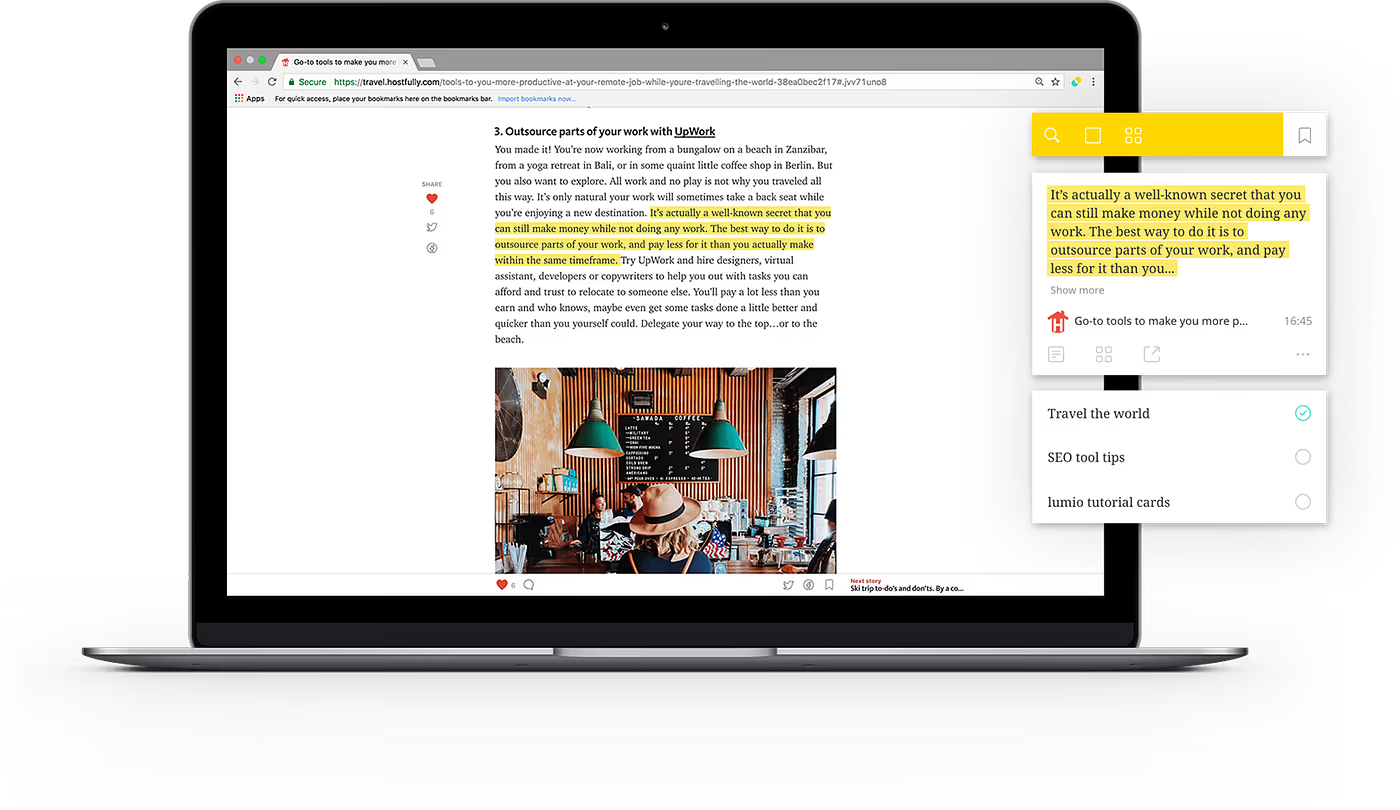
Lumio provides a way to clip articles, notes and images around the web into “candies” or notebooks. This notebook experience will allow you to organise all of the important notes you’ve saved across the web into one clear and well-designed experience.
Install Lumio on Chrome
Gyroscope — (Rating: 4/5)

The dashboard for your life. Gyroscope brings together all of your key daily statistics by connecting to your services. View stats like running, health, heart rate, age and body measurements from all kinds of services like Fitbit, RescueTime, Instagram and many more.
Install Gyroscope on Chrome
What are your favourite Chrome extensions? Leave them in the comments.
For better emailing, we might need many extensions and unfortunately most the emailing is done on mobile and we cannot carry the extensions to mobile. We at Newton have a solution.
Newton is not a Chrome extension but a powerful email service designed for intelligent emailing, no chrome extensions or plugins needed.





