Newton
December 7, 2016
3 min read
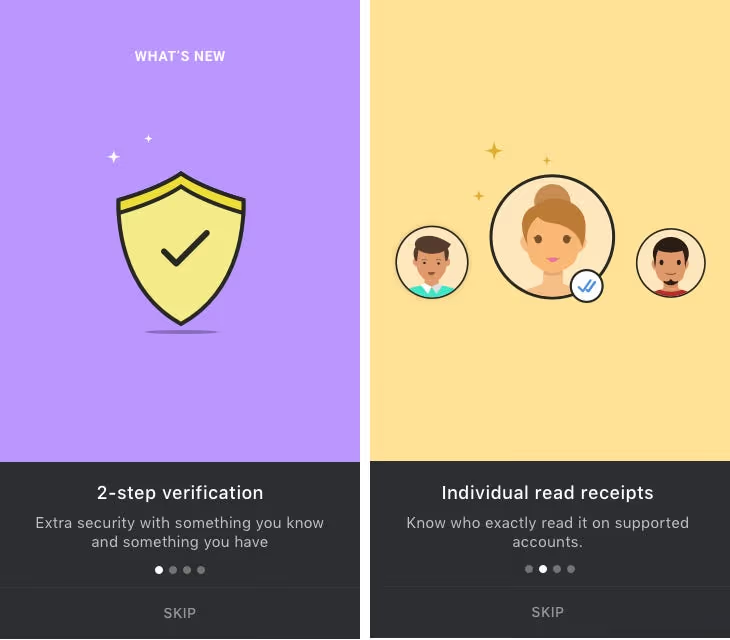
As always the first iteration sucked. We always tried to make our What’s New slides interesting and share-worthy but this clearly was not working. Also the 3rd and 4th slides were about switching on ‘message-read notifications for all sent emails’ and switching off Read Receipts altogether. We were wondering what graphics would go there. Deepak, Rohit and I went back to the drawing board.
After some brainstorming on interesting metaphors, we decided to use a ‘handcuffed briefcase’ graphic instead of the boring ‘security shield’ on slide 1, as it conveyed the double layer of security idea better. For the 2nd slide instead of the generic people illustrations I was thinking of using a known gang from a movie or tv series. May be the Entourage gang. That’s the time Google Allo got the Stranger Things sticker pack and that gave me the idea of using it’s kids gang on the 2nd slide.
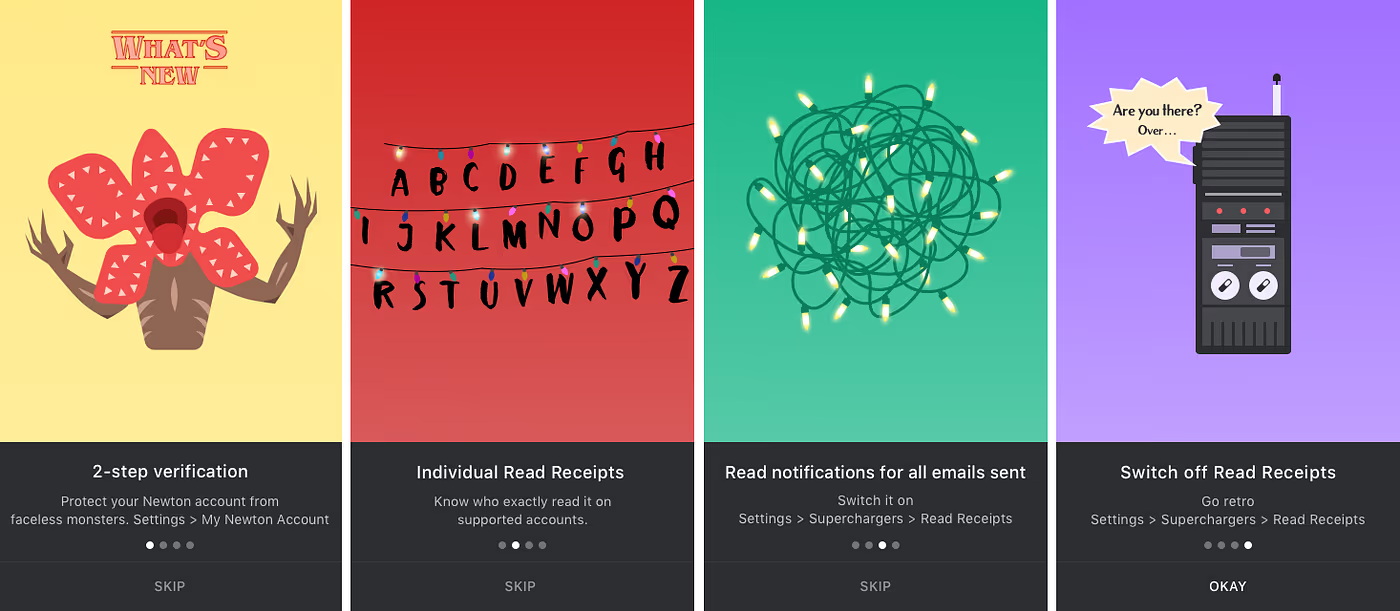
Personally I was not happy with providing the option to switch off Read Receipts. For me it was like undoing all the thinking behind the design of Read Receipts in Newton. It was like taking a step back to the past. So I wanted the last slide to reflect my disappointment without being offensive to the user of course. Now that Stranger Things was in the back of my mind, I had this idea of using the Walkie Talkie graphic saying ‘Are you there? Over…’ for the last side. I also wrote the line ‘Switch off Read Receipts to go retro’ to go with it. I liked it. It was giving out the message in a nice way. Now the problem was that we had 2 slides with Stranger Things theme and the random others. Why not have all the slides based on the same theme? We called it a day to think and come back.
Next day we were going through everything Stranger Things and felt that the ‘christmas lights turned on for some alphabets’ graphic would be better for ‘individual read receipts’ instead of the kids gang. Then we chose the related ‘all on christmas lights’ graphic for ‘message-read notification for all emails’. This would also make sure that the graphics are not completely lost on people who haven’t watched the series. Now the only one left was 2-step Verification.
The initial idea was to show Eleven with her bleeding nose and raised hand with the copy ‘Be crazy safe with 2-step verification’. That’s when we saw the ‘How to hunt the faceless monster’ infographic. I started thinking what if we show a graphic of all the props required to hunt the monster with the copy ‘2-step verification — the ultimate tool to save your Newton account from faceless monsters’. The only problem was that this was the first slide and the one that’s supposed to set the theme; I was not sure if that was happening. Instead if we could use the monster it would set the theme beautifully. I quickly rewrote the copy to ‘2-Step Verification — Protect your Newton account from faceless monsters’. And voila stranger things started happening in Newton. See for yourself.
Author: Umesh Gopinath





