Umesh Gopinath
May 14, 2018
1 min
read

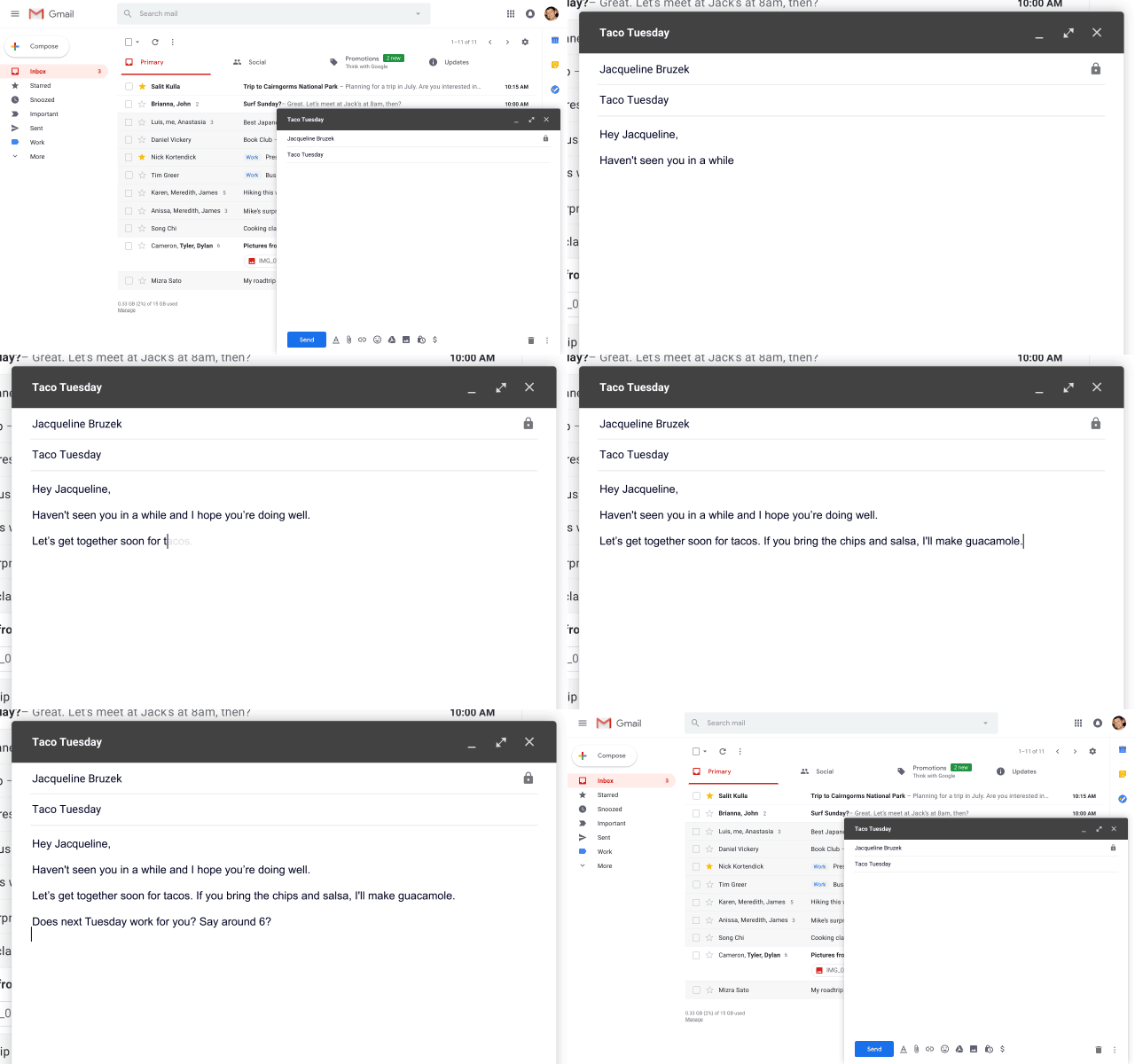
Last week at Google IO, CEO Sunder Pichai announced a new feature coming to Gmail called Smart Compose. Powered by AI, Smart Compose helps you draft emails faster by suggesting phrases as you type. When you see a suggestion that you like, hit the tab key to complete your sentence.
OMG! this reminded me of Newton X and the Lean-back Compose feature. We actually saw the future 😀. This is what we then said how it would work…
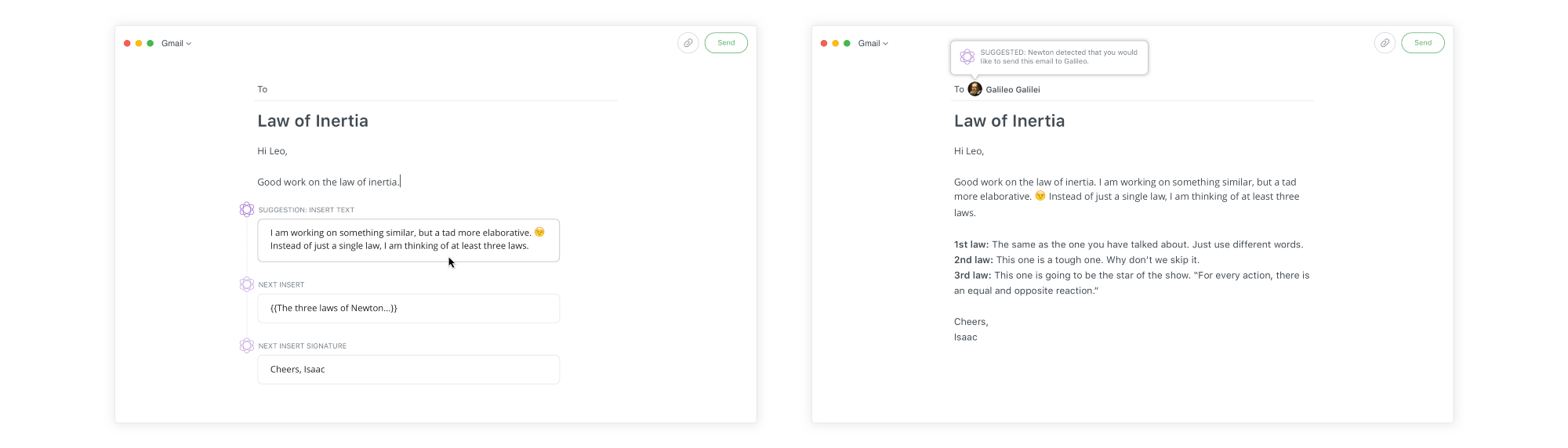
Imagine a compose interface that actually gives you a lean-back experience. It promises to make composing an email more distraction-free, smarter and much faster. This is by far our favorite feature. Not only can you use Newton to compose without a keyboard, but it can also help you to actually compose the email itself- Think word suggestions to sentence suggestions to even paragraph suggestions! What’s even better is that, it can be set to auto-reply to emails while you’re busy with more important tasks at hand.
If there is anyone who can pull it off, that’s Google. No doubt. Respect.