
Francesco D'Alessio
May 10, 2017
2 min read

Building new things is paramount to the success of a company.
Asana is the perfect tool for teams wanting to track their work and communicate across projects. Over 13,000 businesses are using Asana right now to conquer their projects, tasks and daily routines. As one of the base level tools for businesses, Asana prides itself on connecting others to get more done. Here’s how you can add emails directly into Asana using Newton:
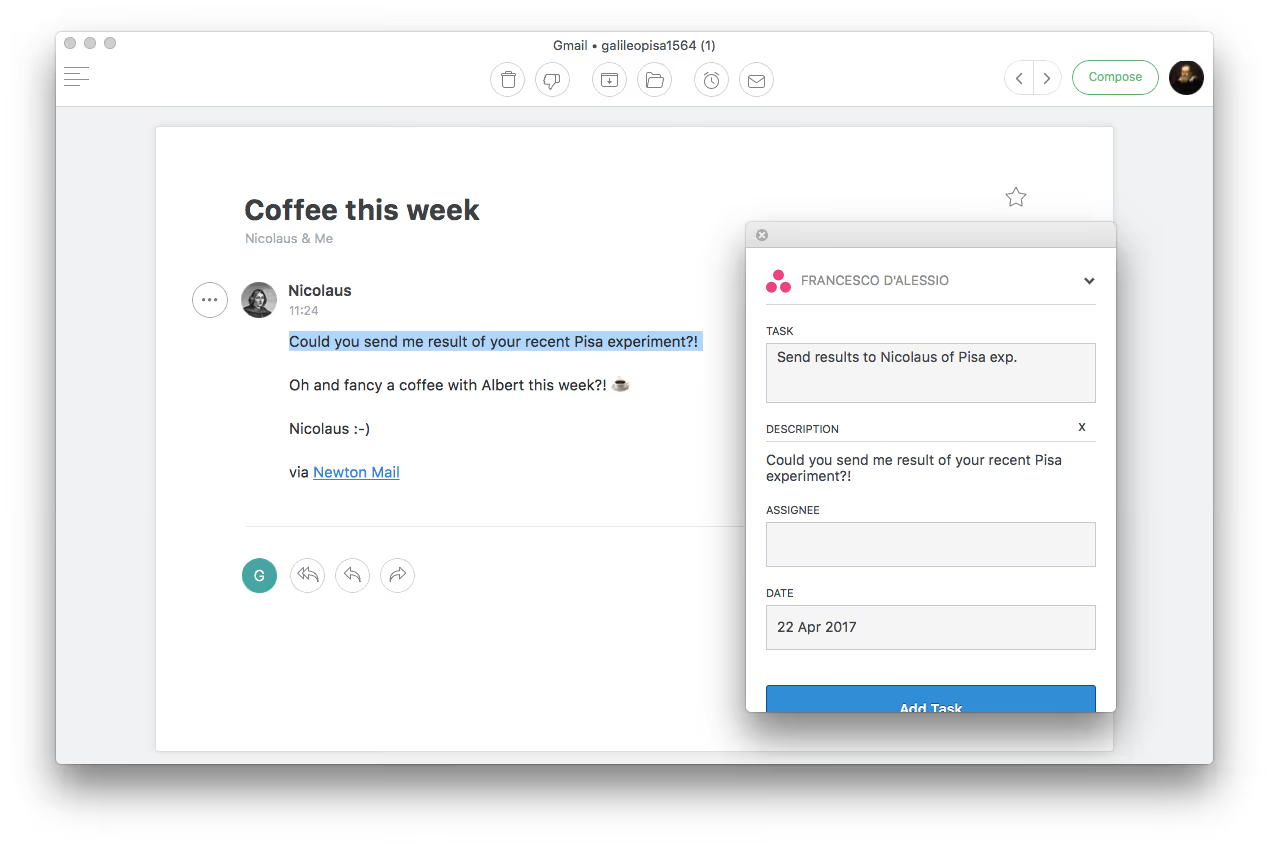
Simply follow these instructions:
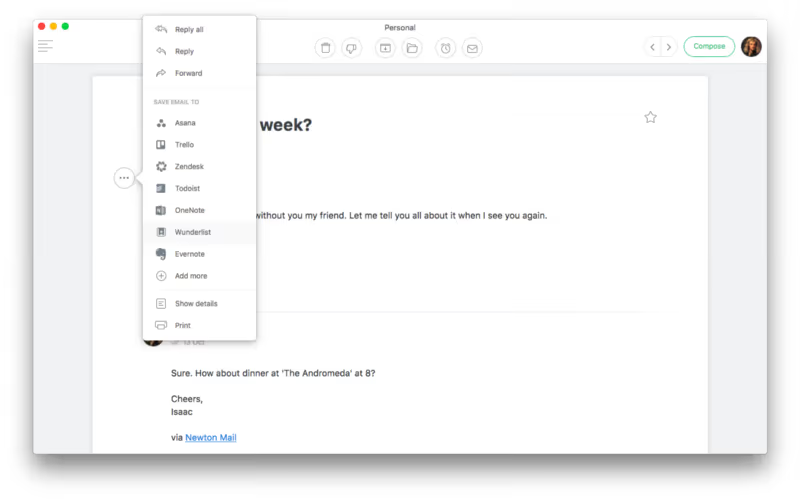
- On your mobile device/Mac hit the 3 horizontal dots next to an email
- Hit Asana and sign into or create your Asana account
- Newton allows you to save text or emails as tasks inside of Asana.
- Choose the project you’d like to save into
- Add a title to the task, choose assignee and due date
- Bonus: Save text directly into Asana as tasks.
Here’s how everything works on mobile and desktop, let’s start with mobile:
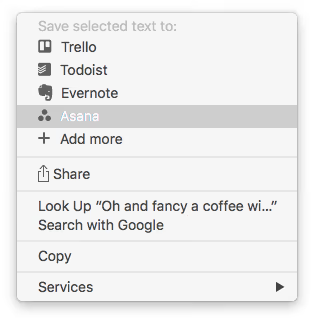
Here’s how Asana and Newton work on mobile:
The Asana integration is very effective at capturing those important tasks for you and your team across your day. Let us know if you have any questions about how to implement this. Start project managing inside of Asana.
Aiming for seamless project management!? Give Newton a try. Newton offers a simple yet modern email service allowing you to Send Later, Undo Send, Track Emails and much more. Try it free for 14-days here.





