
Francesco D'Alessio
March 7, 2017
2 min read

Ideas can change the world, so does capturing them.
Over 100M people around the globe use Evernote to organise and create notes everyday. Evernote works as your external brain to help you keep your ideas, notes, sketches and documents all in one location. Evernote will keep everything secure and organised for your needs. Whether it’s an idea on a napkin or a full fledged presentation document.
Here’s how you can add notes directly from Newton to your Evernote notebooks to get more done wherever you are.
Simply follow these instructions:
- On your mobile device/Mac hit the 3 horizontal dots next to an email
- Hit Evernote and sign into or create your Evernote account
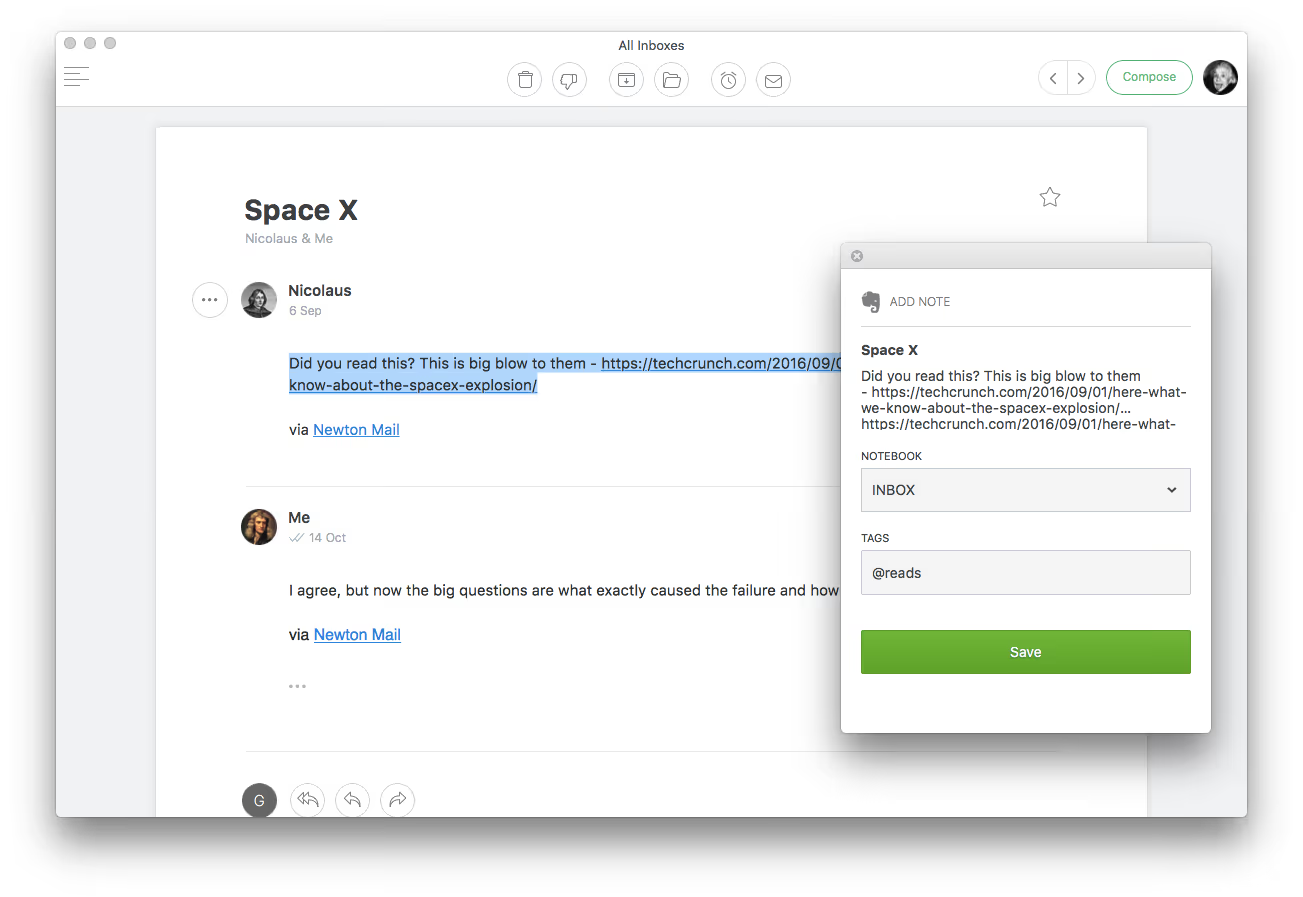
- Once set-up, simply save the email into your desired notebook and add a title.
- You can also add a tags for easy access.
- Hit “save” and we’ll send the note straight over to Evernote
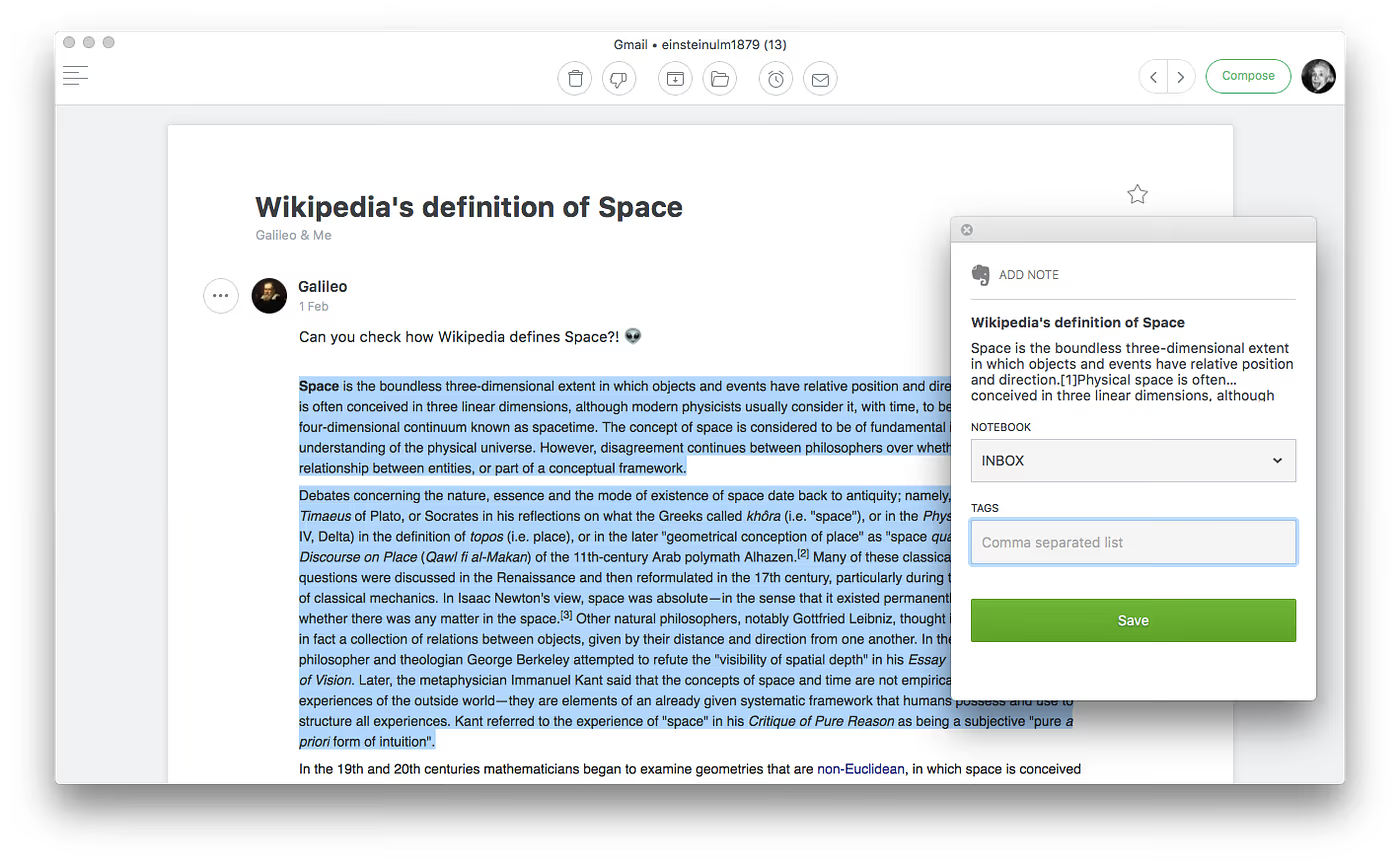
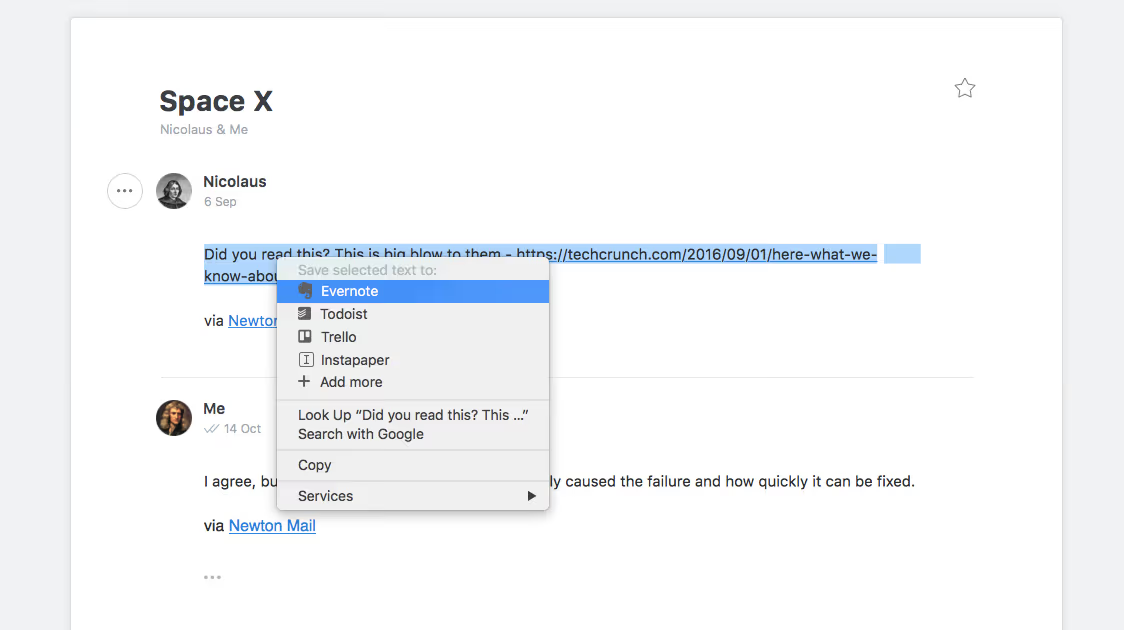
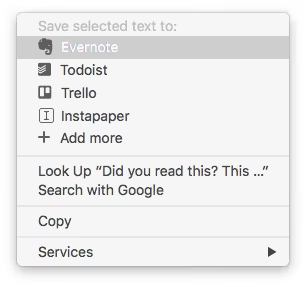
- Bonus: Highlight some text, right click and “add to Evernote”
Here’s how everything works on mobile and desktop
Mobile
Evernote is one of the most top note-taking applications thanks to its powerful feature set and strong organising abilities. Newton works beautifully alongside Evernote to help you clip notes wherever you are.
Explore Evernote alternatives in 2024.
If you’re looking for a modern, powerful emailing experience, give Newton a spin.





