
Francesco D'Alessio
January 10, 2017
2 min read

Trello was recently acquired by Atlassian. This new announcement opens up lots of exciting opportunities for the project management tool, with lots of new integrations and features.
This feature will share how to combine your Newton + Trello usage.
Keeping them both connected can be a valuable asset to have for small and large businesses to improve team efficiency and drive productivity. Trello lets you work in a more collaborative way and get more done.
Trello can be used within teams or as an individual. Boards, lists and cards enable you to organize and prioritise your projects in a fun, flexible and rewarding way.
Here’s how you can add tasks/notes directly from Newton to your Trello boards and get more done, wherever you are (desktop & mobile).
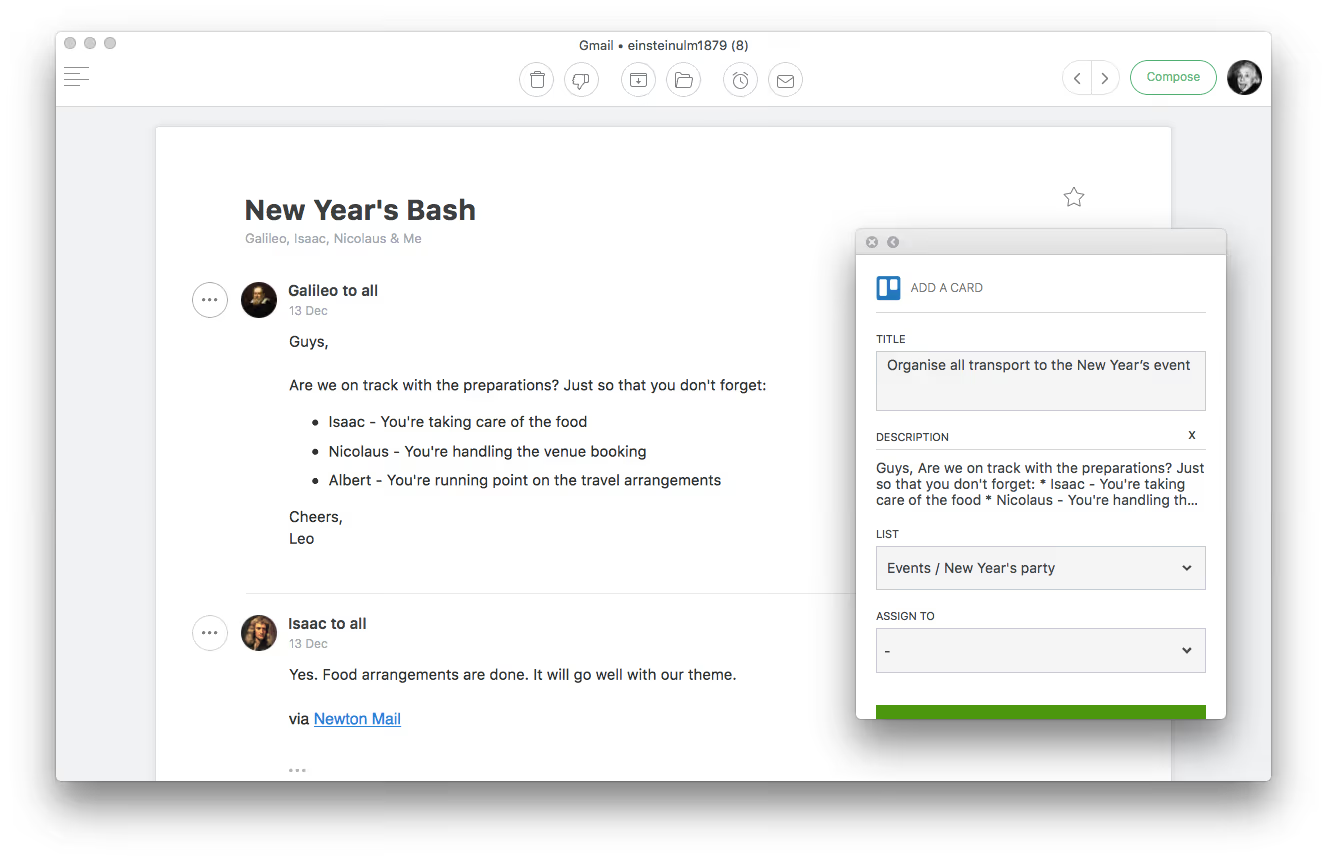
Simply follow these instructions:
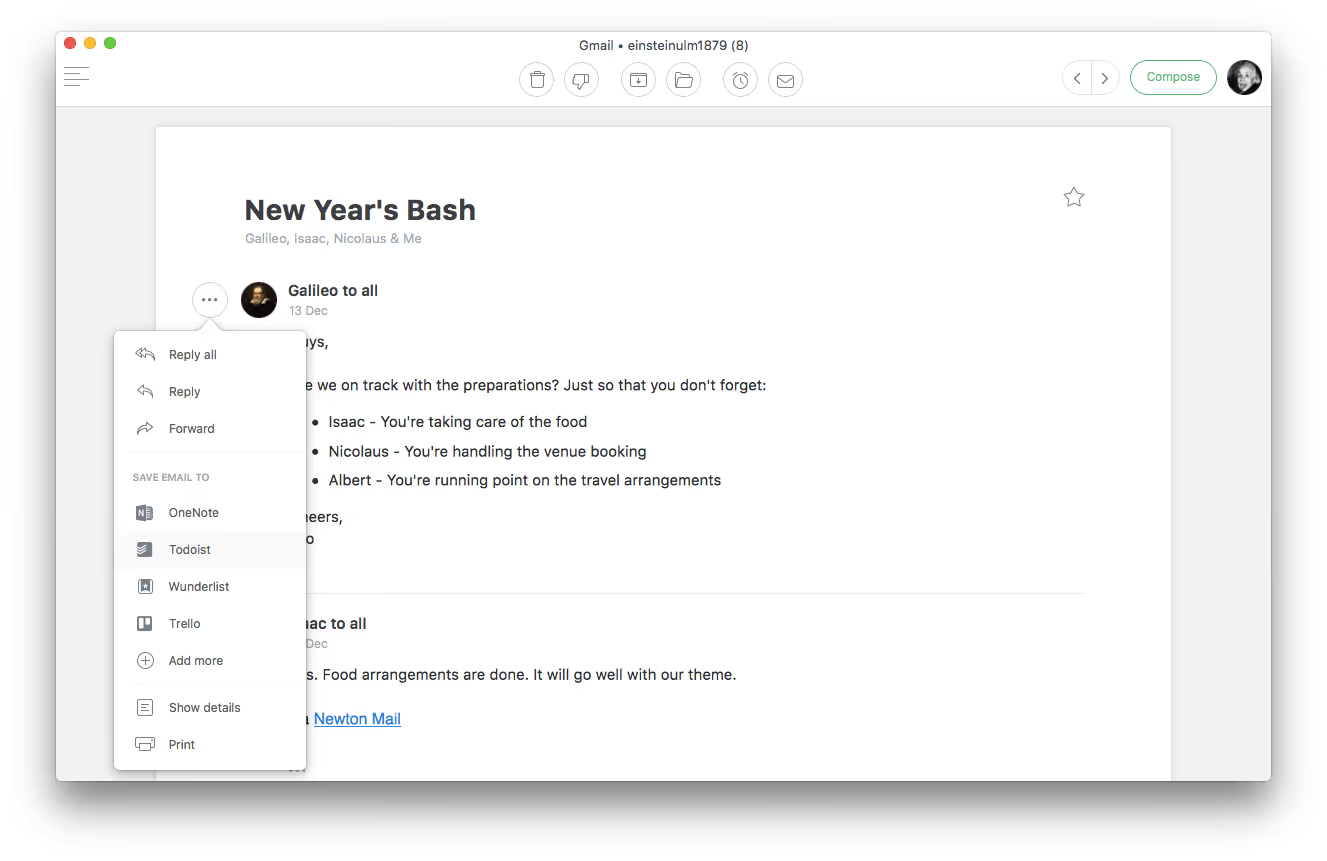
- On your mobile device/Mac hit the 3 horizontal dots next to an email
- Hit Trello and sign into or create your Trello account
- Once set-up, save any email as a card to any of your Trello lists
- Choose a list for the card to be saved into.
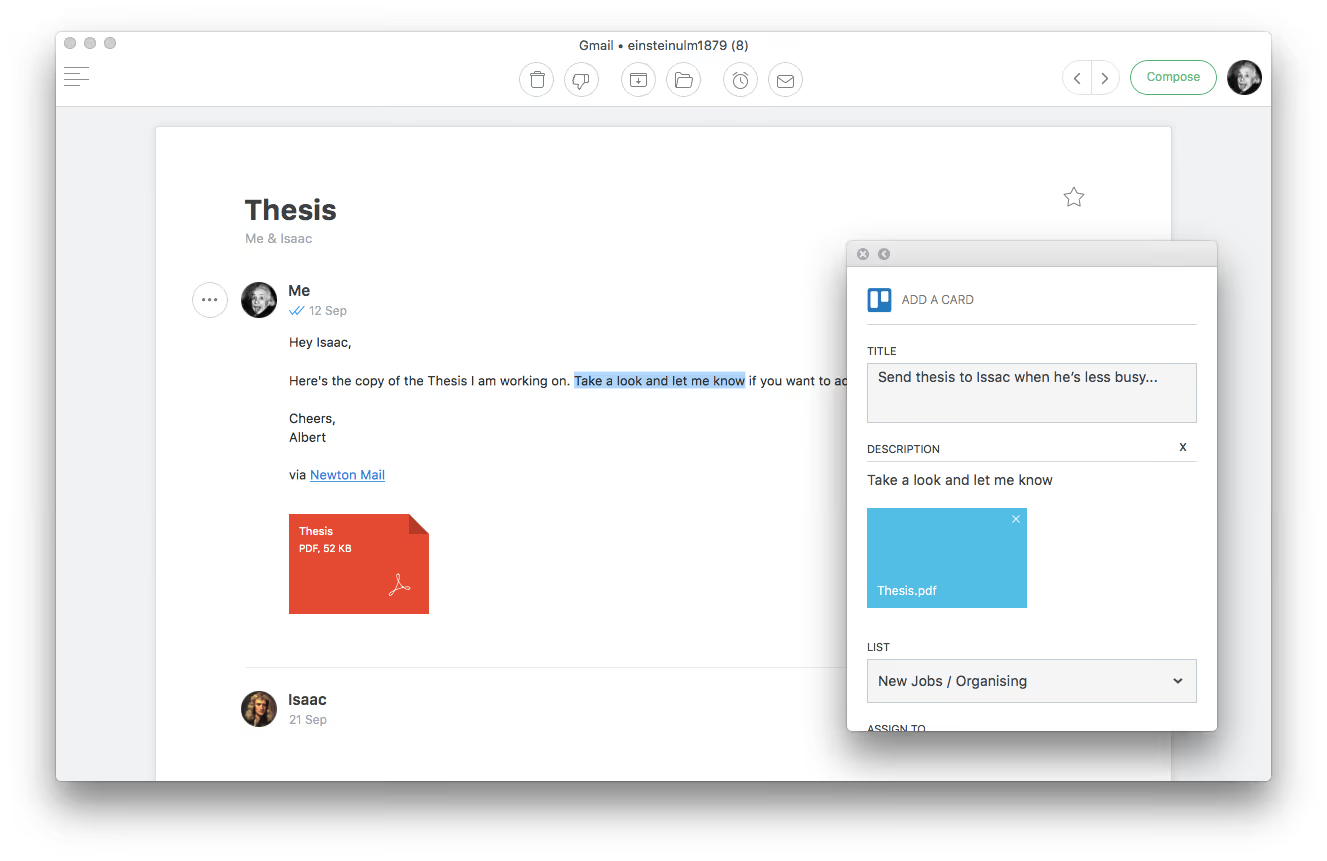
- Add a title to your Trello card, as well as assigning and choosing a list.
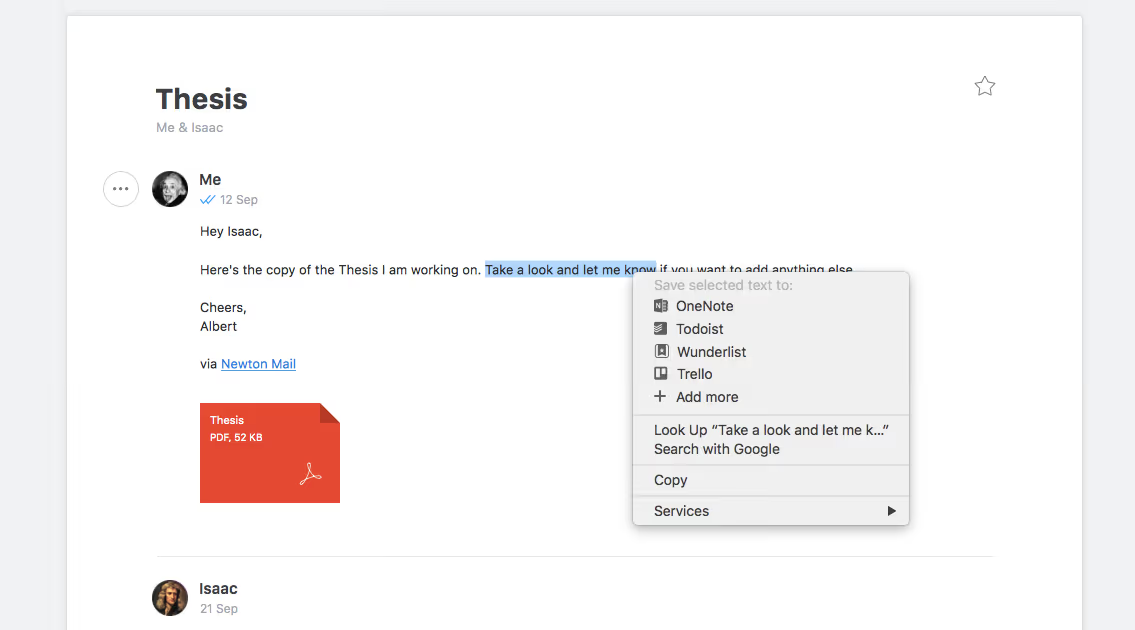
- Tip: Highlight some text, right click and “add to Trello” to add as a card.
Here’s how everything works, let’s start with desktop:
Desktop
Mobile
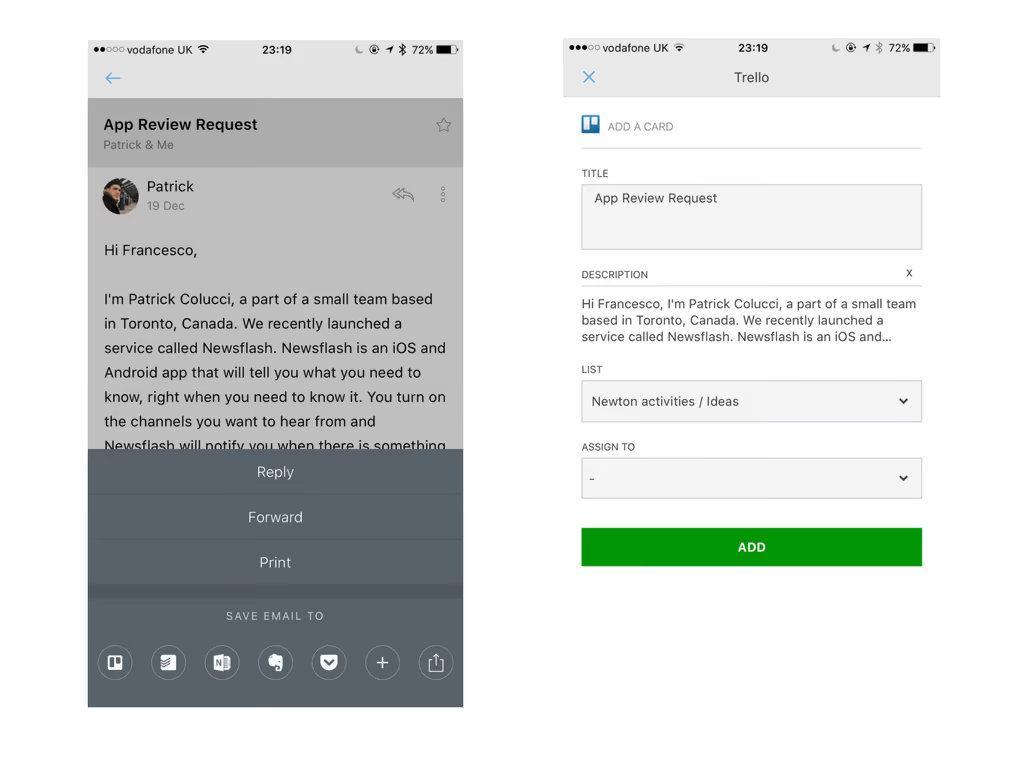
Both Newton + Trello on Desktop and Mobile work seamlessly together. This is an exciting integration that we use every day at Newton to coordinate our boards and lists inside of Trello.
If you’re looking for a modern, powerful emailing experience, give Newton a spin.





