
Sanchika Singh Rana
April 10, 2017
1 min read

Big news! *Cue drum roll* Newton now lets you add aliases for IMAP accounts! Newton was supporting aliases for all major email services for quite sometime and now Generic IMAP accounts are added to this list. Effectively, this means that you can seamlessly juice up your aliases workflow with all accounts that you can add on Newton. If you have just one email account but would like to send emails from different email IDs, you can just add them as aliases. Oh and btw, this is available on all your devices!
Great! Show me how.
Add an alias to your primary email account.
Step 1: Go to Newton preferences > Select email account > Aliases (under Send email as) > Add alias.
Step 2: Next up is configuration of the alias email. Fill in the credentials for your alias account. You will need to know the SMTP address of the alias email address that you are trying to add. Mostly it’s same as the primary email account. Please check with your system admin if it’s not working.
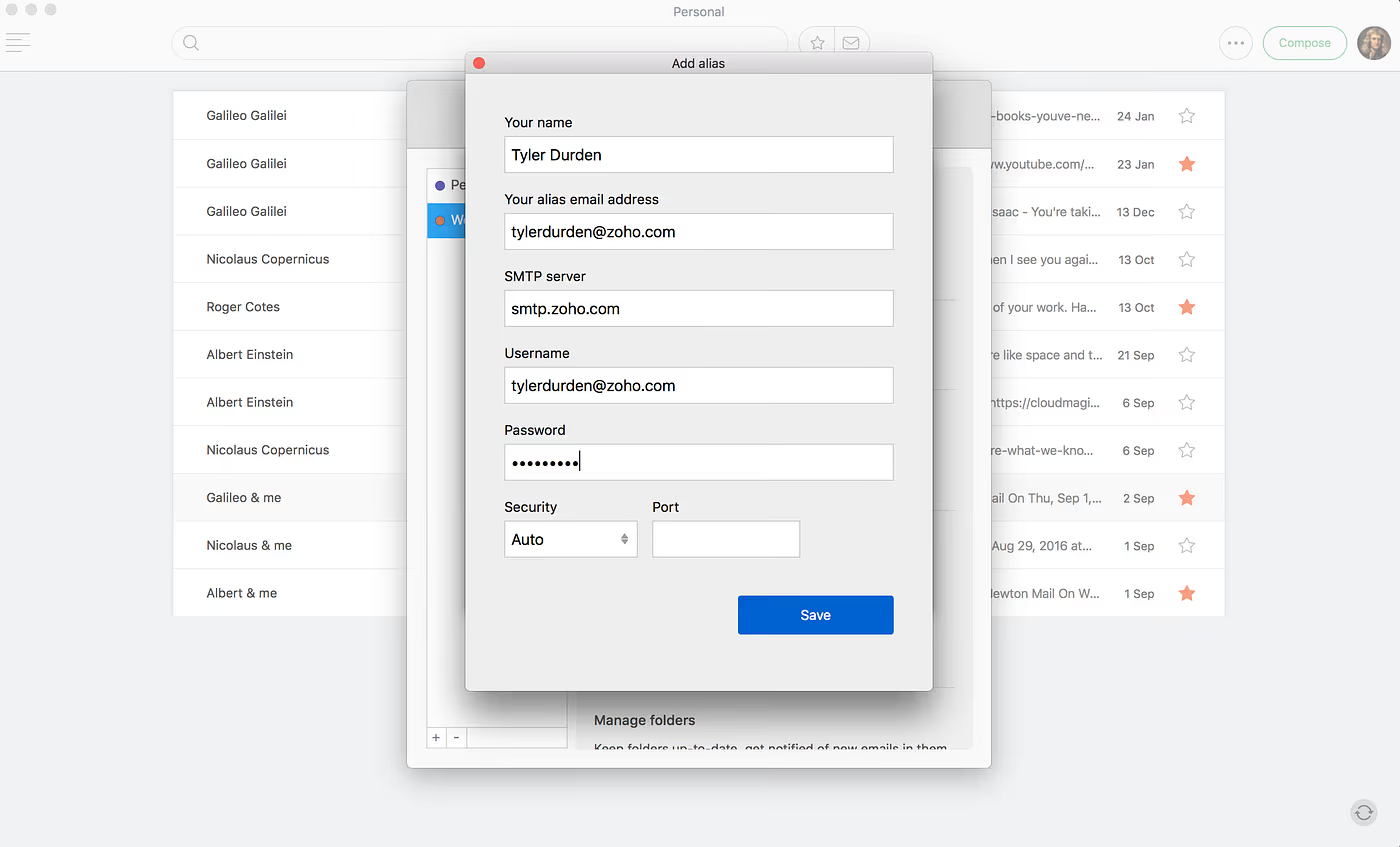
When replying to an email..
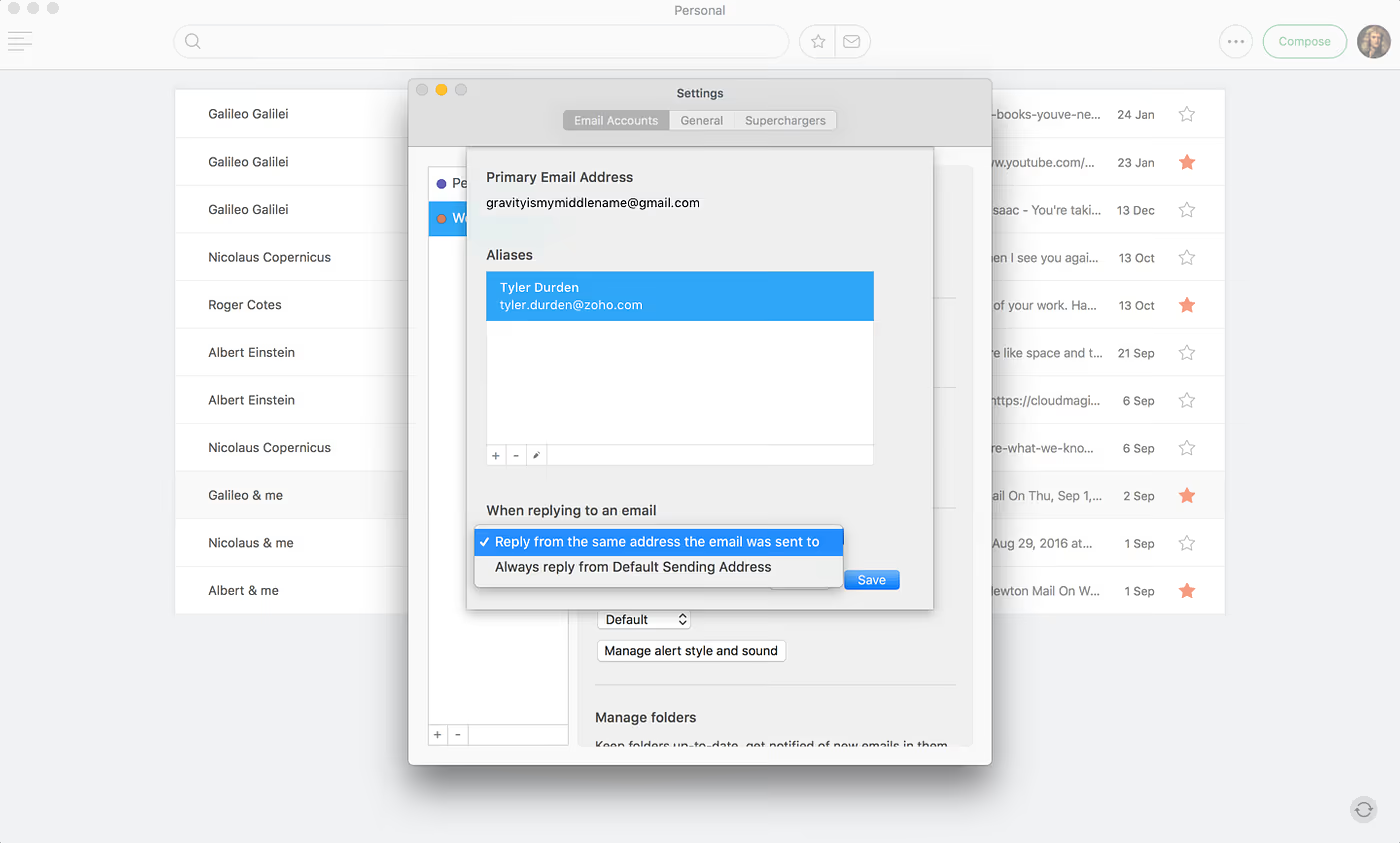
Now as you have multiple email IDs under one email account, when replying to an email you can set to “Reply from the same address the email was sent to” or “Always reply from the default sending address”
Now you are set to send emails from your alias email addresses.
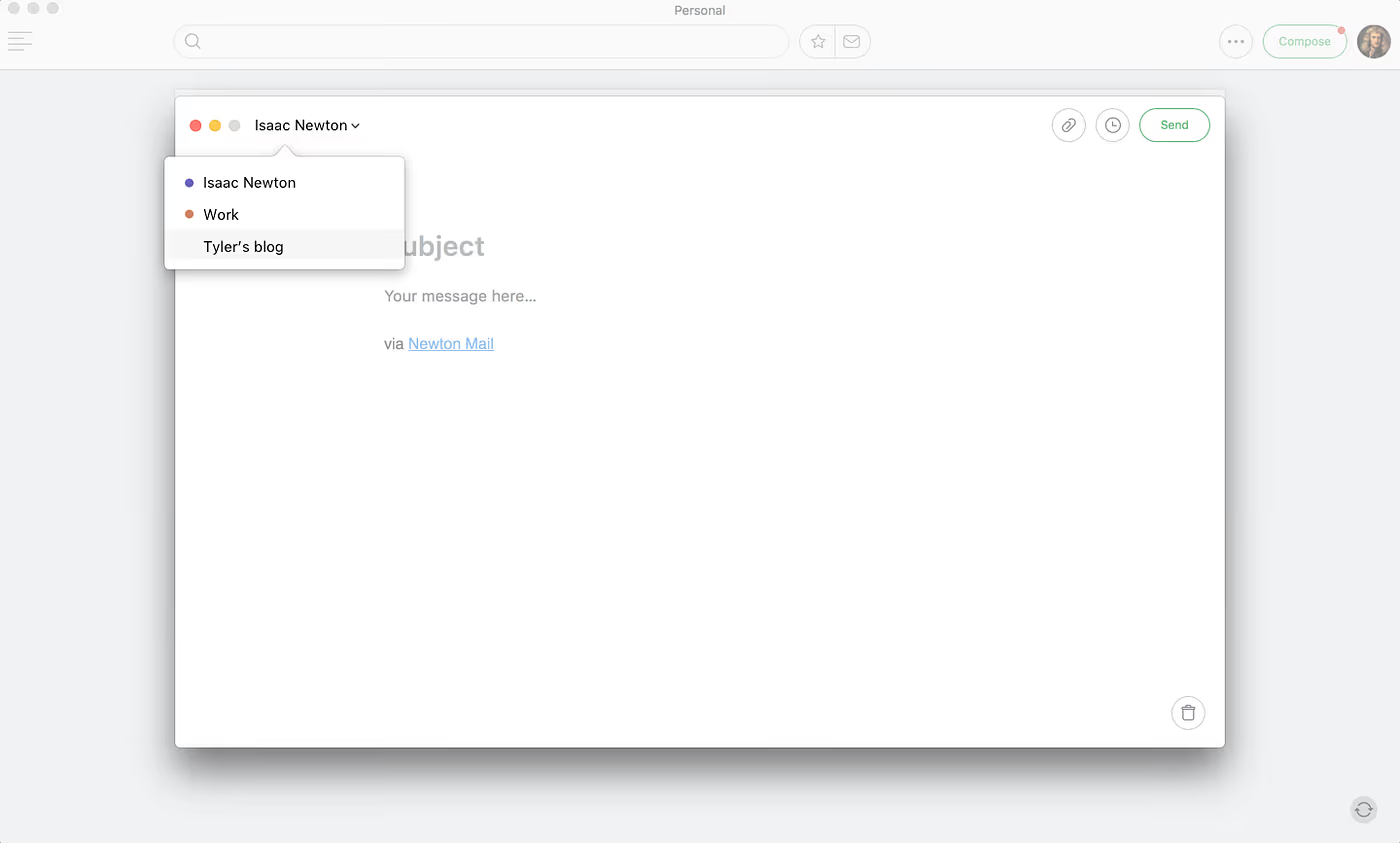
Once you have set it up you can see the list of aliases in the ‘From address’ selector in the compose window.
Have issues or feedback? Write to us hello@newtonhq.com





