
Umesh Gopinath
March 3, 2017
3 min read

When iPhone came, it also introduced a new way of designing applications for small screens. The core idea was to simplify desktop applications or websites to fit into small screens also with better typography and big hit areas to make them touch friendly. iPhone was as powerful as a computer so it was not about limiting features and information on handheld devices like how we used to do till then. It was all about reimagining the application to make it simpler to use. Every feature had to be questioned. Information architecture had to be rethought through. Layouts simplified. New touch friendly UI controls had to be designed. Also it would have new capabilities based on location, retina display etc.
The results were amazing, as suddenly we got our favorite applications made better and easy to look at and use; of course on mobile. We started using them on mobiles more than desktops. We, product people, realised that designing applications conforming to the constraints and possibilities of a mobile device actually made the product better. This gave birth to a new product design process ‘Mobile First’. We later took this learning to iPad and then back to desktop where the simplicity remained and the change was only to make it suit to the user behavior on desktop and not about showing more things in the bigger real estate. My favorites being Instagram, Inbox by Gmail, Google Maps, Google Music, Medium, Amazon, almost all the leading news sites notably Quartz (their new mobile app sets a new benchmark), The Atlantic, The New Yorker and CNN.
For some reason emails apps didn’t change much on desktop. Even though they became more cleaner and got better typography compared to Outlook, they pretty much remained the 3 pane interface sticking to showing more things on bigger screens.
That’s why Newton for Mac.
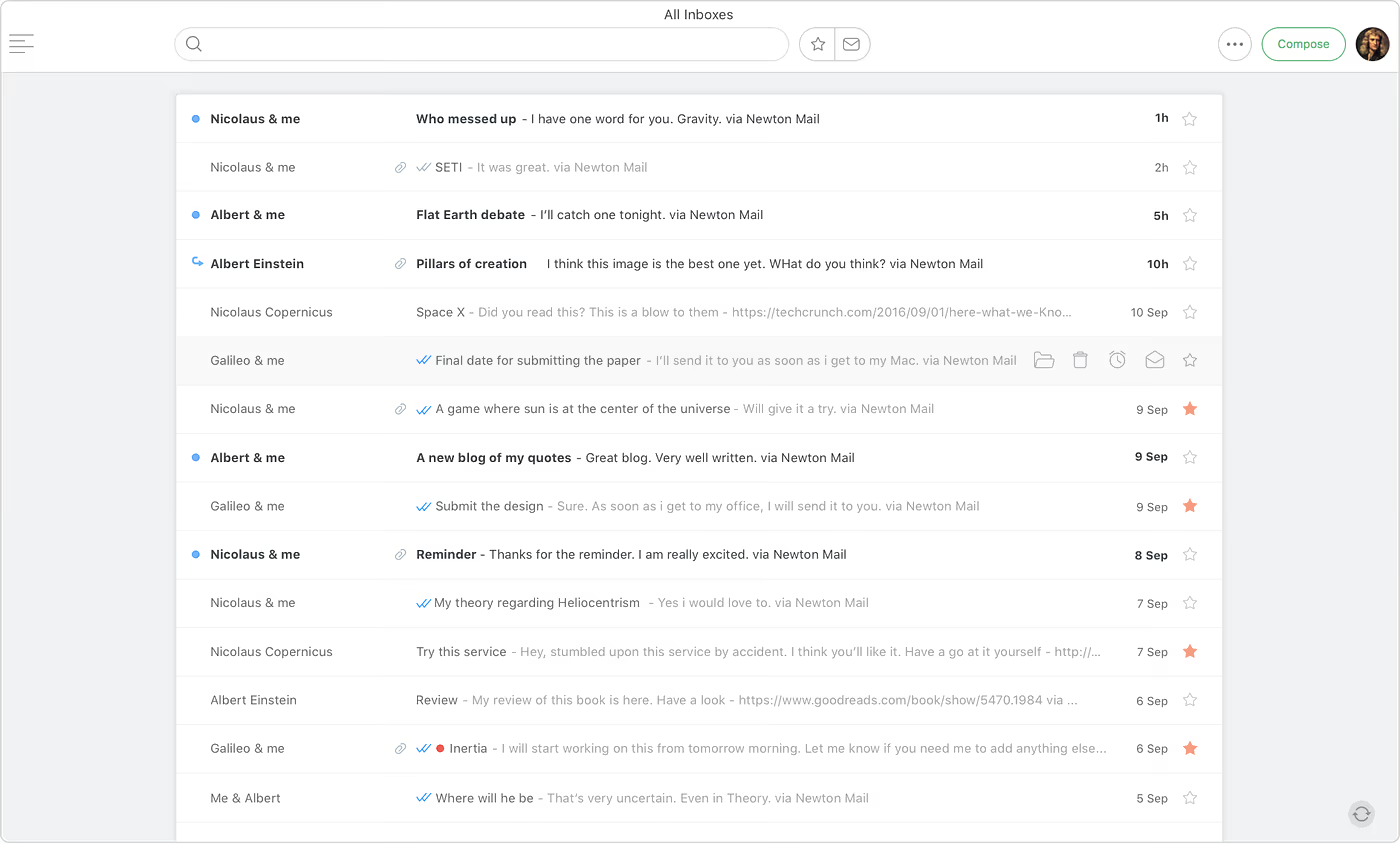
The inbox is stripped down so that you can focus on the things that matter most along with search and filters. Take actions on the mails from the inbox itself by just hovering and hitting the quick action buttons or keyboard shortcuts.
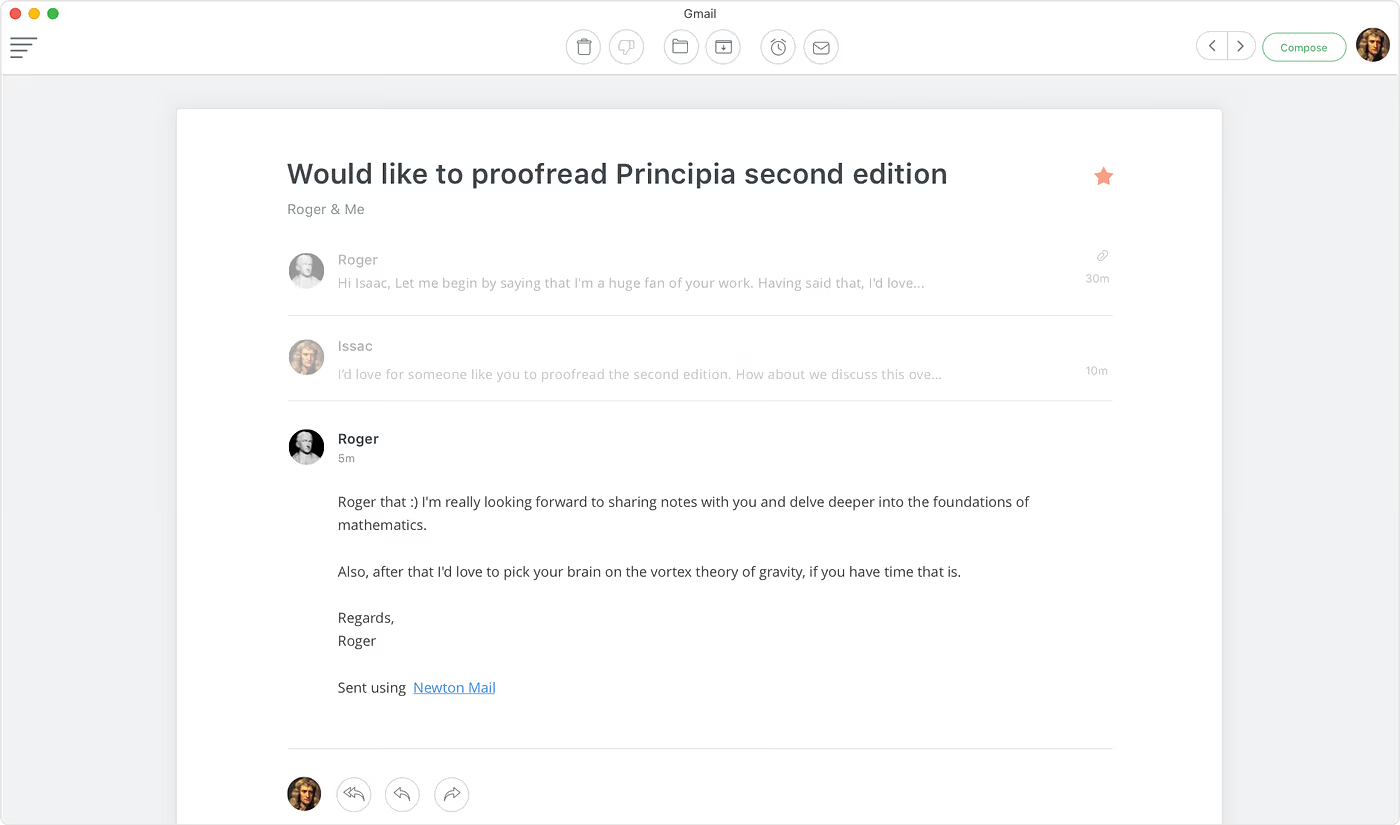
There’s absolutely no distractions while reading emails. Go to next and previous mails by hitting the right and left arrow keys and hit esc to go back. Keyboard shortcuts that work on inbox work here too. As there are only a few set of things you can do on one screen, it’s easy to learn the shortcuts.
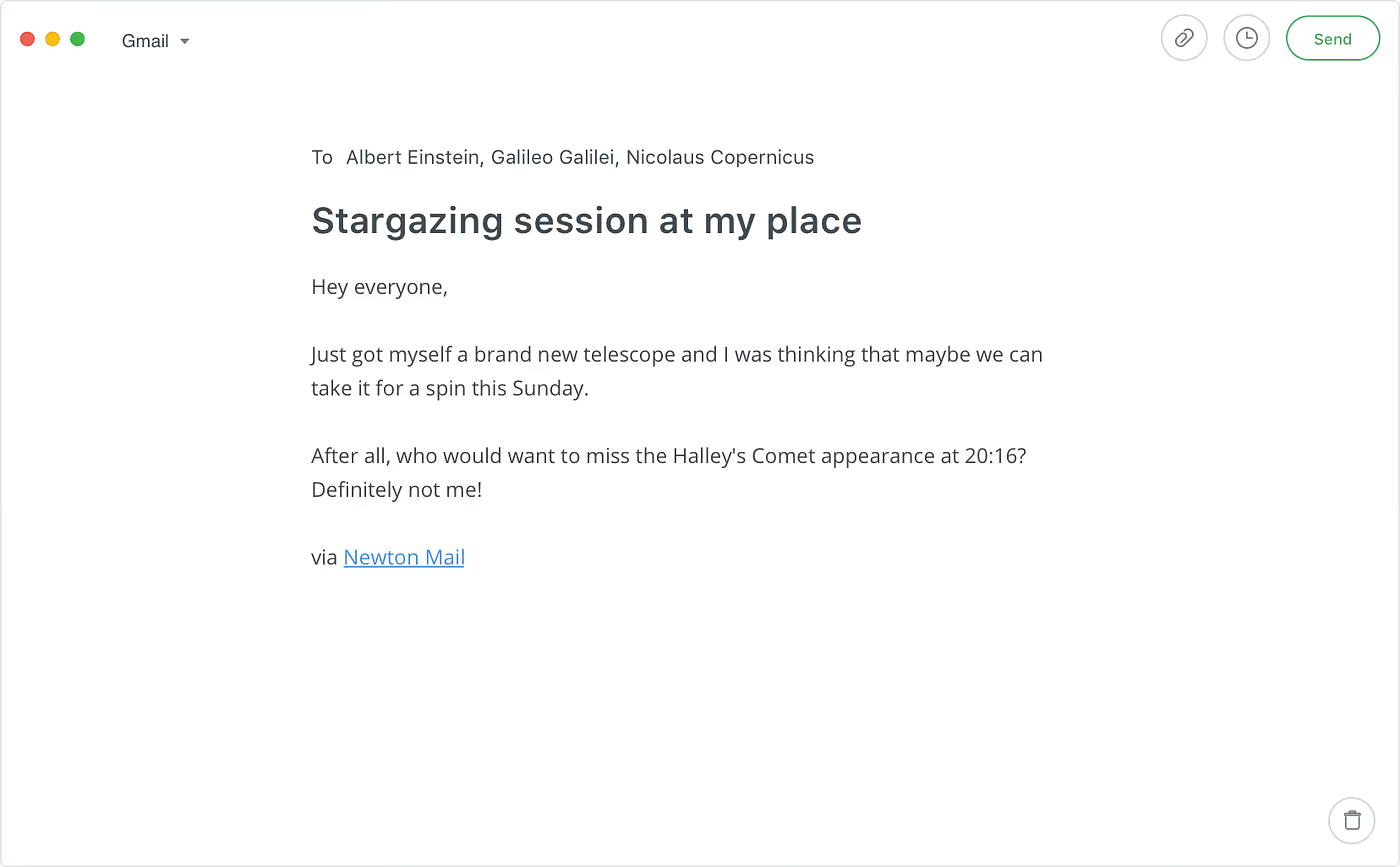
And our personal favorite, the compose screen is so clean, simple and distraction-free that nothing comes between you and what you write. The interface is designed for the most optimum writing and reading experience. It’s indeed inspired by modern experiences like Medium and IA Writer. We didn’t just design it for writing emails. It should inspire you to write anything, even poems. After all, if you’re writing, why not go all the way.
Everything other than content appears only when required. Navigation is simple and easy-to-learn keyboard shortcuts make you fly. Nothing complex or fancy to learn. And yes, it’s an extension of our mobile experience tailor-made for desktop use cases. It doesn't have half of the features as other desktop email apps and we are proud of it. It is our humble attempt to take stress out of email and make it modern and delightful.





