
Karthik Suroju
August 14, 2015
2 min read
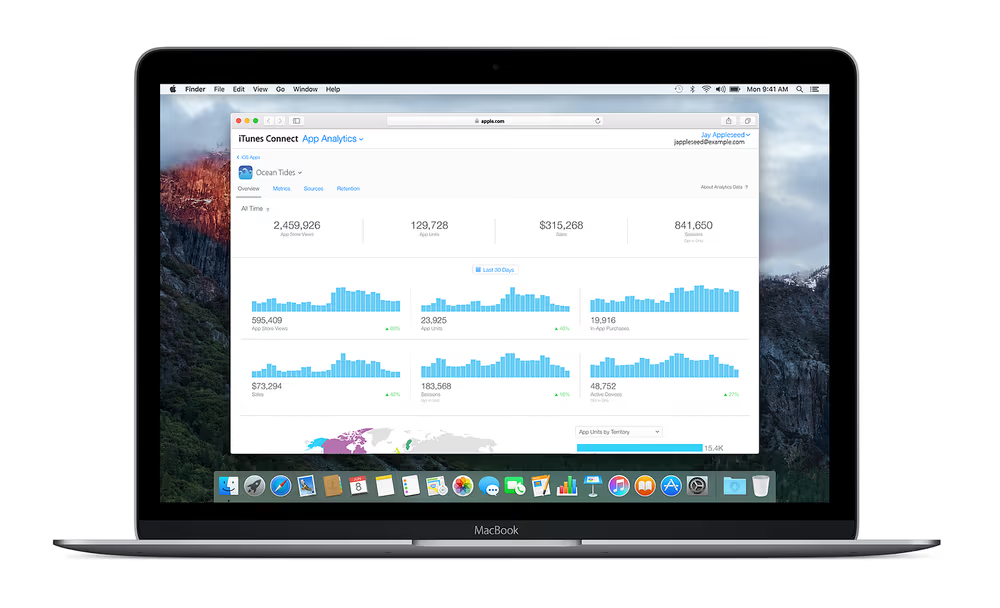
As app developers/marketers, we always have questions: are people discovering my app? Are they installing it? Are they using it regularly? How and where can it be improved?
Analytics provides answers. Analyzing data can help us build better apps.
Much to the delight of developers, Apple introduced App Analytics, a powerful tool inside iTunes Connect. It provides many metrics like active devices, sessions, sources, sales, installations, in-app purchases etc. Here are 3 key App Analytics metrics you should look at on a daily basis:
1. App Units to App Store Views ratio
The most important place to focus for any app marketer is the App Store. It is where people discover and download apps. App Units to App Store Views ratio tells you how many people installed your app, after viewing your app listing. If 3 out of 10 people, who view your app listing install your app, the ratio will be 0.3.
Your marketing team is accountable for this metric.
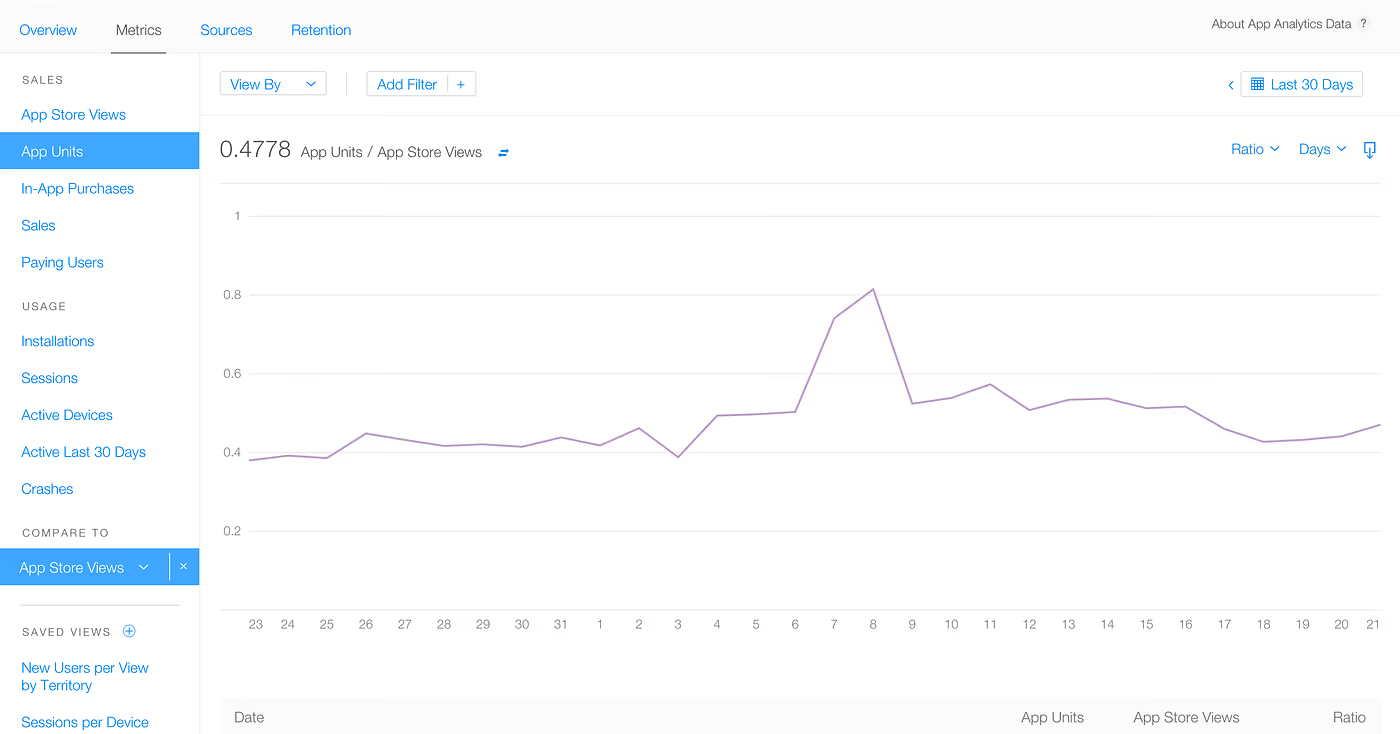
How you can improve this ratio: While this can be a blog post by itself (I’ll write later), here are a few quick pointers:
Your ‘What’s New’ and the first 3 lines of app description is what is visible by default — focus on getting them right. Localization will definitely help. Have a simple App Preview video along with good-looking screenshots. Do a lot of testing around these to find the best combination.
2. Crashes
Regardless of how much you spend on acquiring new users and optimizing app listing, if the app is not stable enough, all your efforts are wasted. Crashes are bad for your app as no one would like to return to an app which crashes frequently.
Your development team is accountable for this metric.
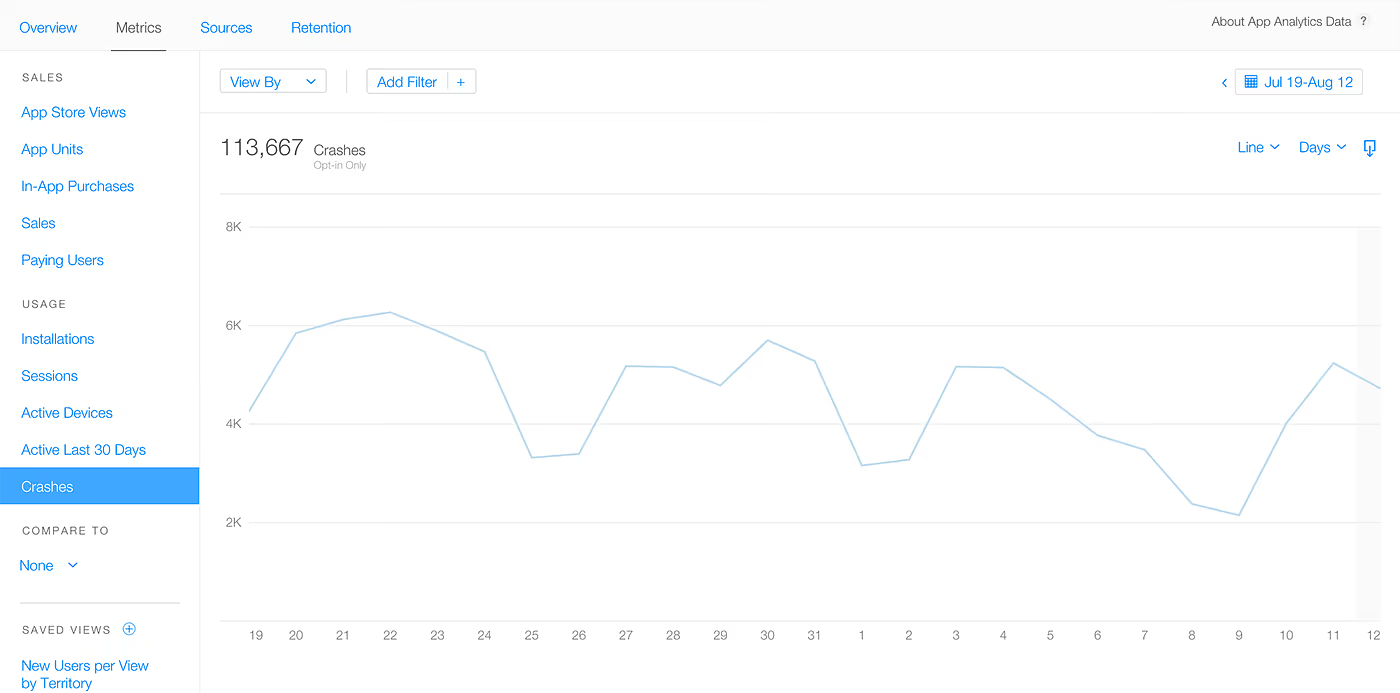
It is almost impossible to achieve a 100% crash-free app. But, your development team should look at this metric on a daily basis and obsessively work towards minimizing the crashes, as much as possible.
3. Retention Rate
Ask any marketer, he’ll tell you how difficult (expensive) it is to acquire new users. Once a user installs your app, you should focus on retaining him for as long as possible. App Analytics provides you with the ‘Daily Retention’ metric, which is the percentage of users that first installed the app, on a given day, and used it again in the days to follow. The higher the retention, the better it is.
Your product management team is accountable for this metric.
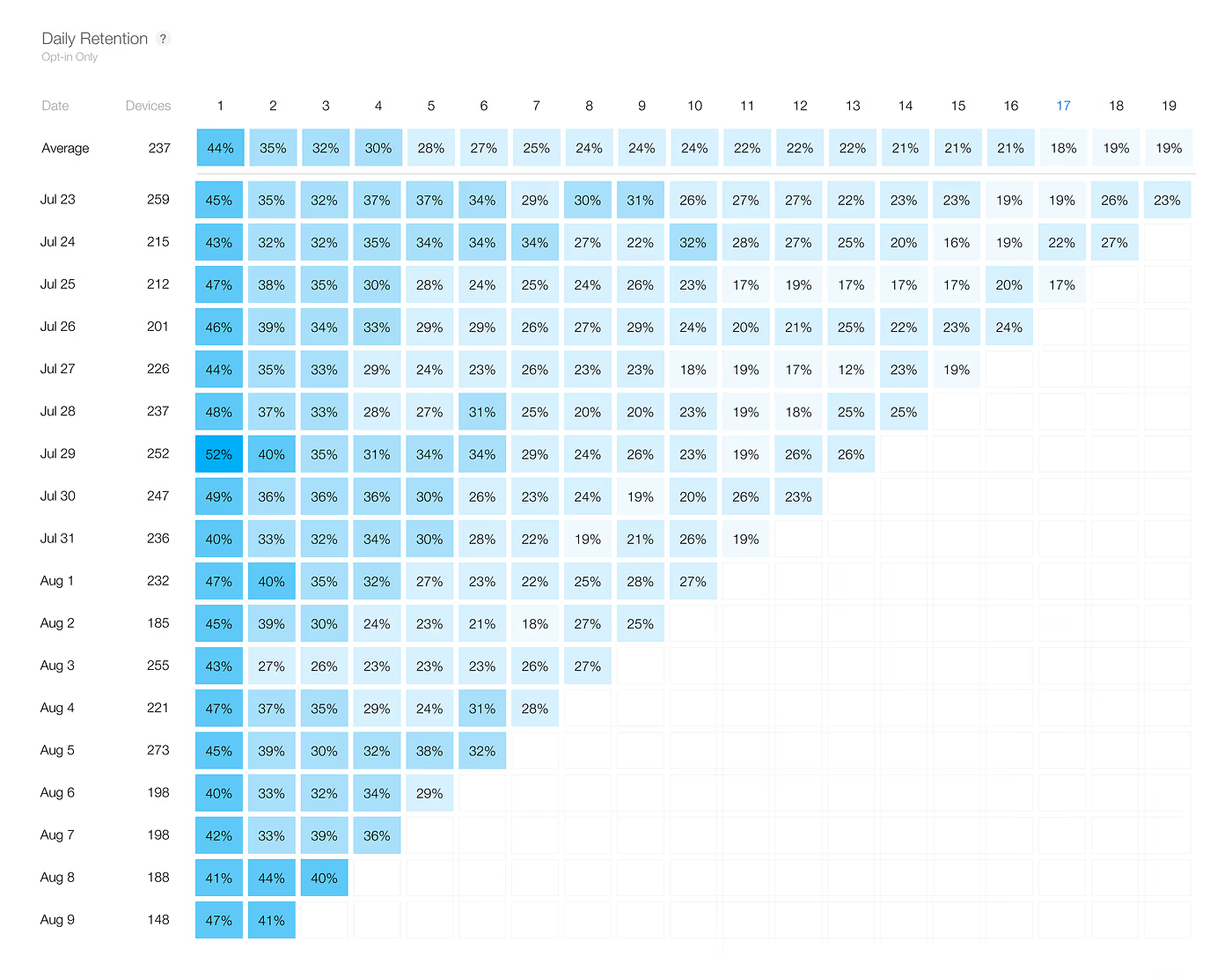
Remember, if you can’t measure it, you can’t improve it.
Note 1: App Analytics shows data from opt-in users only, users who have agreed to share their diagnostics and usage information with app developers.
Note 2: Images used are for illustration purpose only. They don’t represent the actual data of any app.





