
Umesh Gopinath
December 12, 2017
2 min read


There are 2 ways how notifications work on Mac; especially email notifications.
- When the app is running, it checks for changes in the server at constant intervals. When a change is detected, the app downloads the change and shows a local (not push) notification. Most apps do this.
The good: Notification has actions, custom sounds.
The bad: Battery hog. Slower notifications. - The app has a server component that pushes notifications to the device, regardless of whether the app is running. Tapping on the notification will open the app. This is how Newton works.
The good: Very very light on battery. Instant notifications.
The bad: macOS doesn't support actions on push notifications for some weird reason.
Everything in Newton is optimized for speed and battery conservation, right from sync period to notifications. For some reason, macOS doesn't give push notifications the love it deserves. As a result, we get a lot of heat from our users e.g. for not having actions on notifications.
The bug
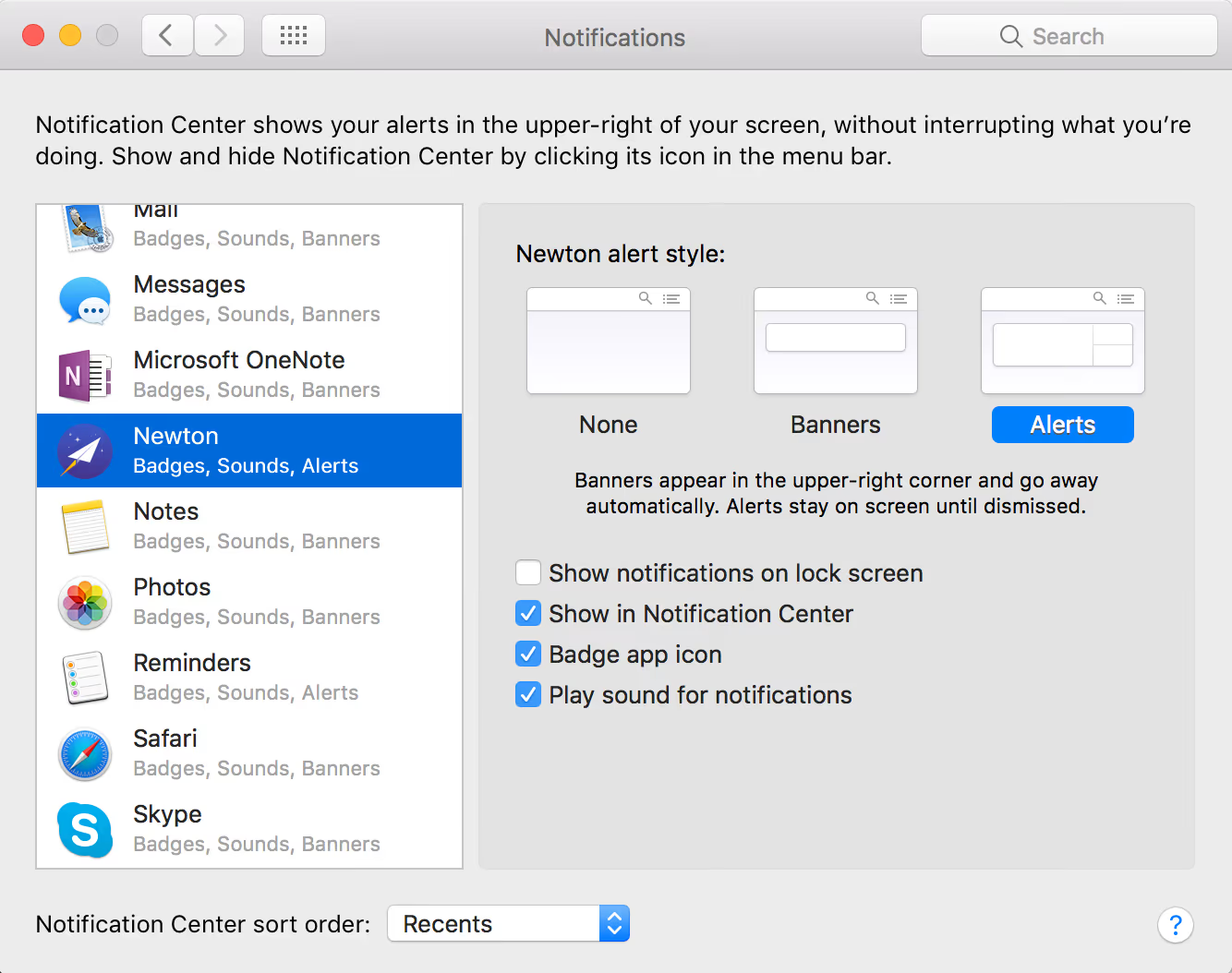
To rub salt into the wound, High Sierra came with a bug — Non-clickable Push Notifications. Basically, nothing will happen when you click on the push notification; it won’t open the app. The only workaround we found was to change the alert style from Banners to Alerts and to click on the Read button on the notification to open the app.
Needless to say, we started getting 1-star ratings. For people who wrote to us, we tried explaining the problem and gave them the workaround, but they were still not convinced. How come only Newton has this problem?
Luckily Apple fixed this issue in High Sierra version 10.13.2 Beta 4, but we still continue to get stinkers from our users every now and then.
macOS High Sierra has not been kind to us 🙄





