
Francesco D'Alessio
April 13, 2017
4 min read

Slack and I have always had a love-hate relationship. Slack provides a seamless way to keep in touch, providing real-time functions to interact with those in your team.
As a heavy user, I’ve had both positive and negative experiences.
Even as a remote worker, Slack can be very damaging to your productivity with day-to-day work. I wanted to document a few issues that I’ve been having with Slack to help highlight some solutions but issues that I believe need to be fixed to help progress with real-time communication methods.
1. Destructive Real-time Messaging

Real-time messaging on Slack is like being on a busy street.
Noisy, and continually busy.
Continually checking in or switching on notifications can be damaging to your productive flow when doing an intensive piece of work. Summed up beautifully in this tweet below from Cabel Sasser.
One way to get around this is eliminating messages coming in.
Hit the “Do Not Disturb” button and you have the option to schedule around your busy “work” time and the free time you have, so no notifications come through.
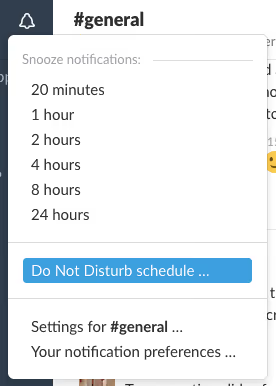
There is a curve ball here though.
Team members, if urgent, can bypass this option. By flagging the message as urgent, a push notification will send an alert regardless of the DND mode.
Judge this feature as you may, but the issue with Slack does revolve around access to other’s through real-time time.
2. Out of Storage!

Storage is a huge issue with Slack.
Although all services have to make some cash, of course, the storage is just 10,000 messages for the free tier.
If you have a team of 5 or above, this will go in no time.
History won’t be stored and any message from the past will be archived, or deleted. The other day, I wanted to see some of the first messages we sent on Slack for a startup I work with, and everything was gone.
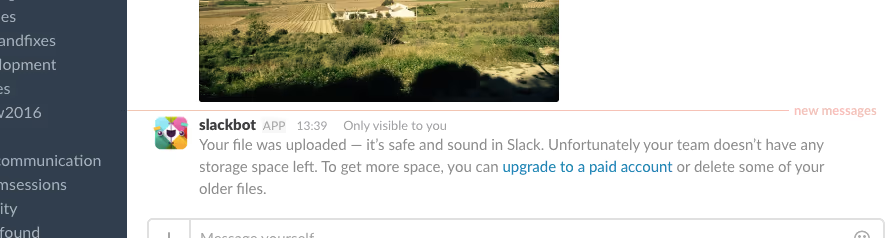
The most annoying thing about this experience is the messages.
Try uploading when you are out of storage, you’ll get pinged back about the storage limit being hit. This is painful, as the notification will distract you, for sure and leave a nice red notification button on your Slack app.
3. Tonnes of new Inboxes

As you already know from using Slack, it quickly becomes your 2nd inbox.
The benefit to inboxes is the ability to see everything in one space. A read by David Allen documents this well. In GTD, Getting Things Done, he states to have as few inboxes as possible and to “channel” your efforts/items into one or as few apps/services as possible.
Slack’s additional feed adds another layer of inbox!
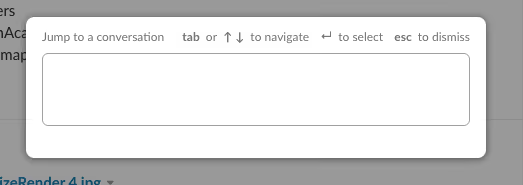
CTRL+K is the tool you need to flick channels on Slack, but even the master skills can’t keep up with the pace of new messages coming in. Getting lost is easy inside of Slack, 5-minutes of checking messages turns into 20-minutes of speaking about irrelevant subjects.
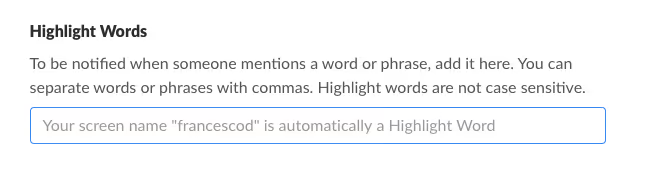
Despite the introduction of the new “unread” feed — understanding the context of each unread message requires jumping into the channel which might mean you get lost once again. Try getting “unread” messages sent to your inbox to avoid any in-evening distraction, documented below.
4. Outside of work!

Responding to Slack messages after work hours can dominate those in-movie moments at home. It’s nothing different from email.
The disadvantage will Slack is that despite having the “AWAY” activated, the messages still pour through with no regard to your environment.
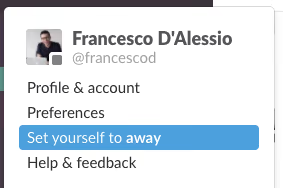
For those who enjoy out of hours free time, this interference damages attention and adds to your inbox load. Again, something to consider as a big picture when communicating with people on Slack. Slack is one of the main services I use across my day and by no means do I intend to replace it, just yet. I understand the value of direct messages, and use them myself.
I’d love to hear your thoughts in the comments below on your Slack experience so far.
If you think the hustle and bustle of Slack is too much too handle, why not give Newton a try? Powerful features like Read Receipts, Send Later, Snooze & more coupled with a clean, stress-free interface will surely give you some Inbox peace.





