


Email was never meant to be a solo sport.
Share any conversation with your team, discuss it in the sidebar, and let teammates reply on your behalf — without forwarding, CCing, or pasting into Slack.
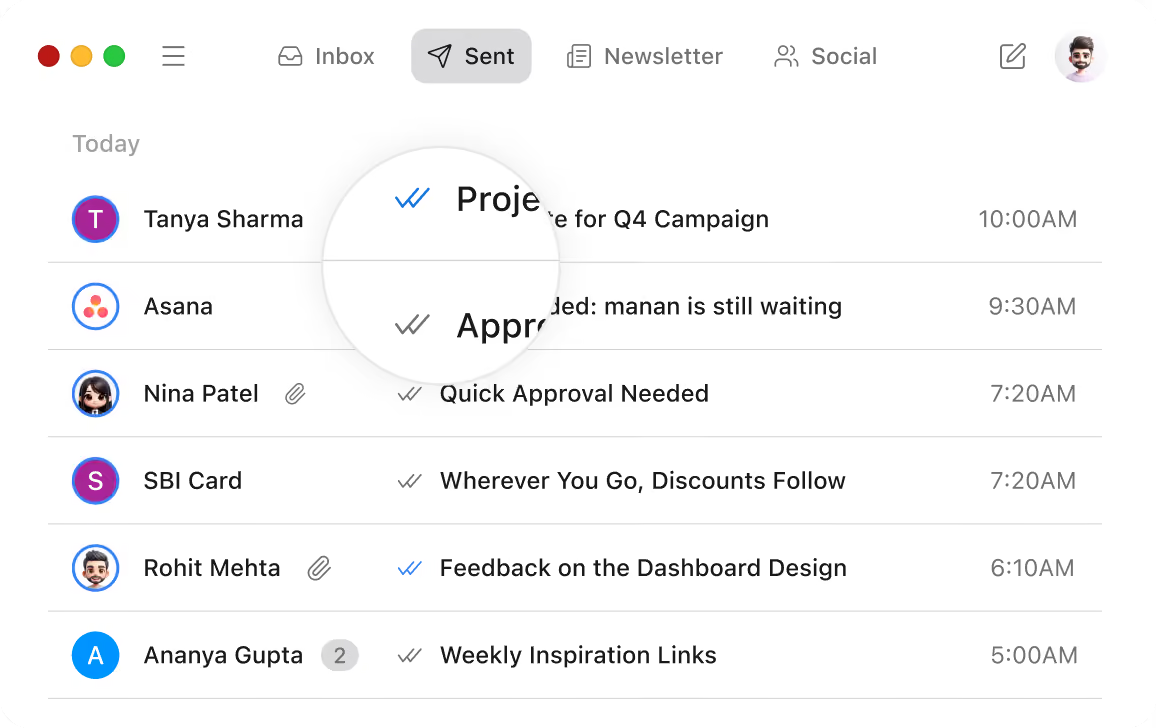


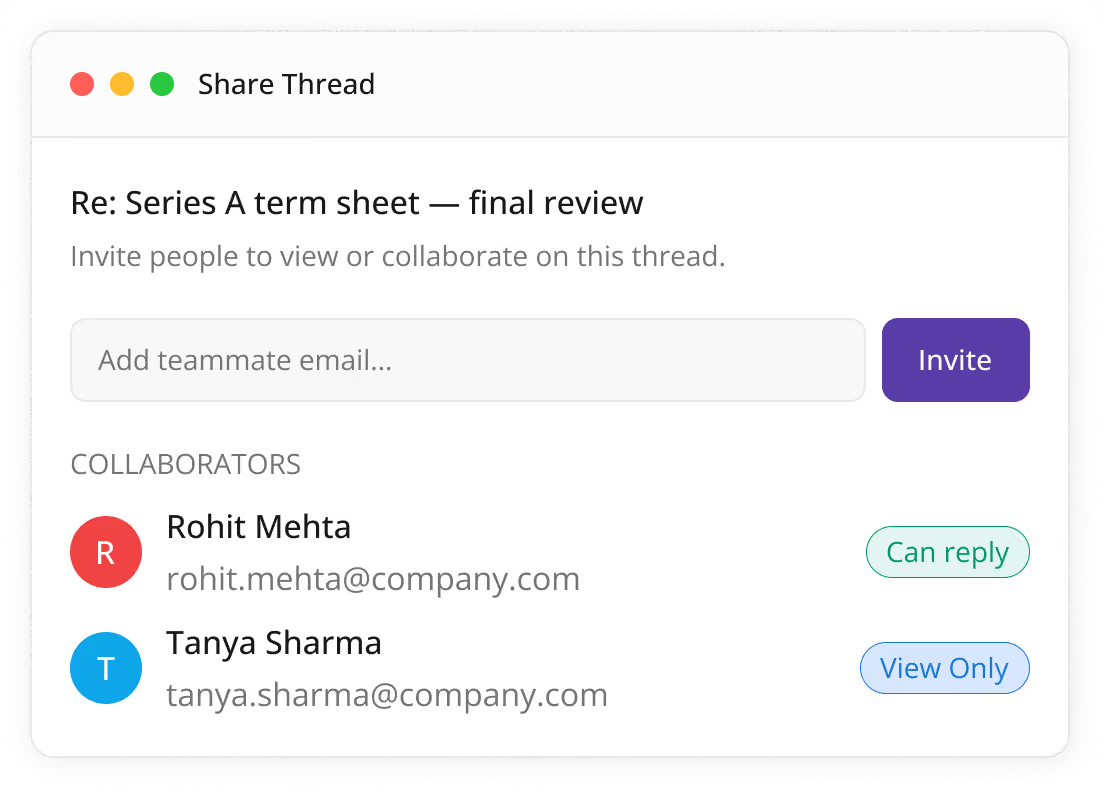
Share a thread, not a screenshot
One click turns any email into a team workspace.
Invite anyone by email; they see the full conversation including attachments. No more "forwarding the latest version."
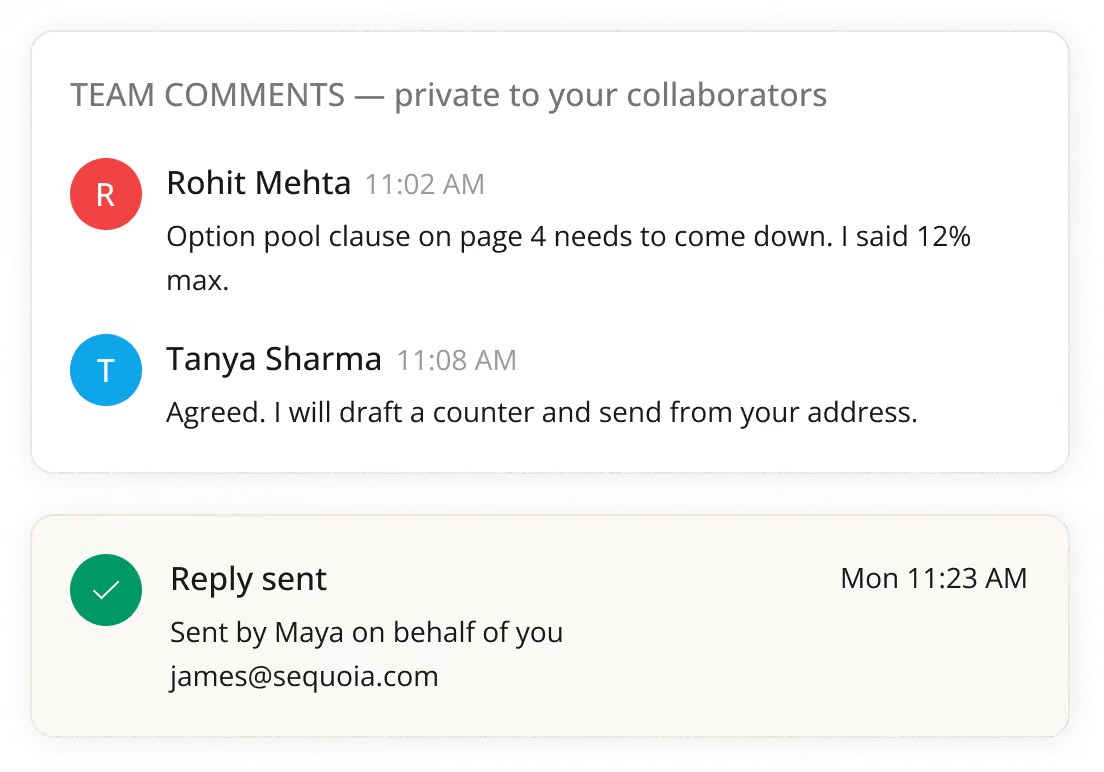
Comment privately, reply publicly
Discuss next to the email, not on top of it.
Comments are team-only beside the thread; authorized teammates can send the reply on your behalf, from your address.
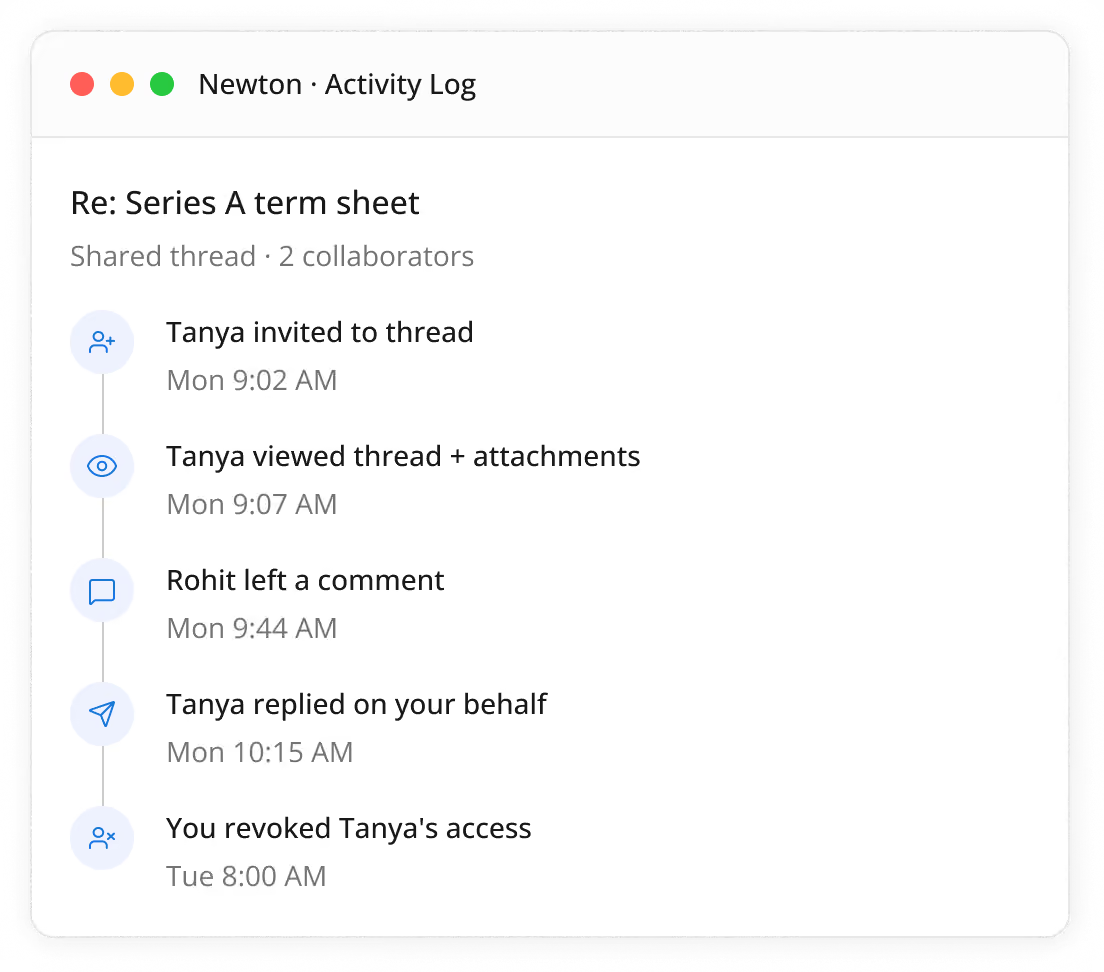
Nothing happens behind your back
A full activity log keeps everyone honest.
Every view, comment, and reply recorded; revoke access per person or whole share anytime.

Founders

Support

Assistants
FAQs
What is email collaboration in Newton Mail?
Email collaboration in Newton lets you share an entire email thread with teammates, discuss it in a private sidebar, and let authorized teammates reply on your behalf - all without forwarding, CCing, or copying content into Slack.
How do I share an email thread with my team?
ou share a thread in one click by inviting a teammate's email address; they instantly get access to the full conversation, including attachments, inside Newton - no exporting or forwarding needed.
Can teammates reply to an email on my behalf?
Yes. If you grant reply access, an authorized teammate can send a reply directly from your email address, so the recipient sees a normal, seamless response from you.
Will the recipient know a teammate replied for me?
No. Replies sent on your behalf go out from your own email address, exactly as if you'd typed and sent them yourself - the recipient sees no indication a teammate was involved.
Can I control who sees a shared thread and what they can do?
Yes. When you share a thread, you choose each person's permission level - for example, view-only versus can-reply - so you decide exactly who sees what and who can act on your behalf.
Is there an activity log for shared threads?
Yes. Every view, comment, and reply on a shared thread is recorded in a full activity log, so you always know who did what and when.
Do I still need to forward or CC emails to collaborate with my team?
No. Newton's sharing feature replaces forwarding and CCing entirely - teammates work from the same live thread instead of separate copies scattered across inboxes.
Can I revoke someone's access to a shared thread?
Yes. Access can be revoked instantly, either for one person or for the entire share, at any time from the thread's activity log.